Have you ever wanted to hide your IP address, access a website from another location, or protect your internet connection on public Wi-Fi?
If so, you've probably come across three popular technologies: VPNs, proxy servers, and Smart DNS.
At first glance, they might seem almost identical. All three can change how you connect to certain online services, and some can help you access content that isn't normally available on your network.
However, the difference between a VPN vs proxy vs Smart DNS is much bigger than you might think.
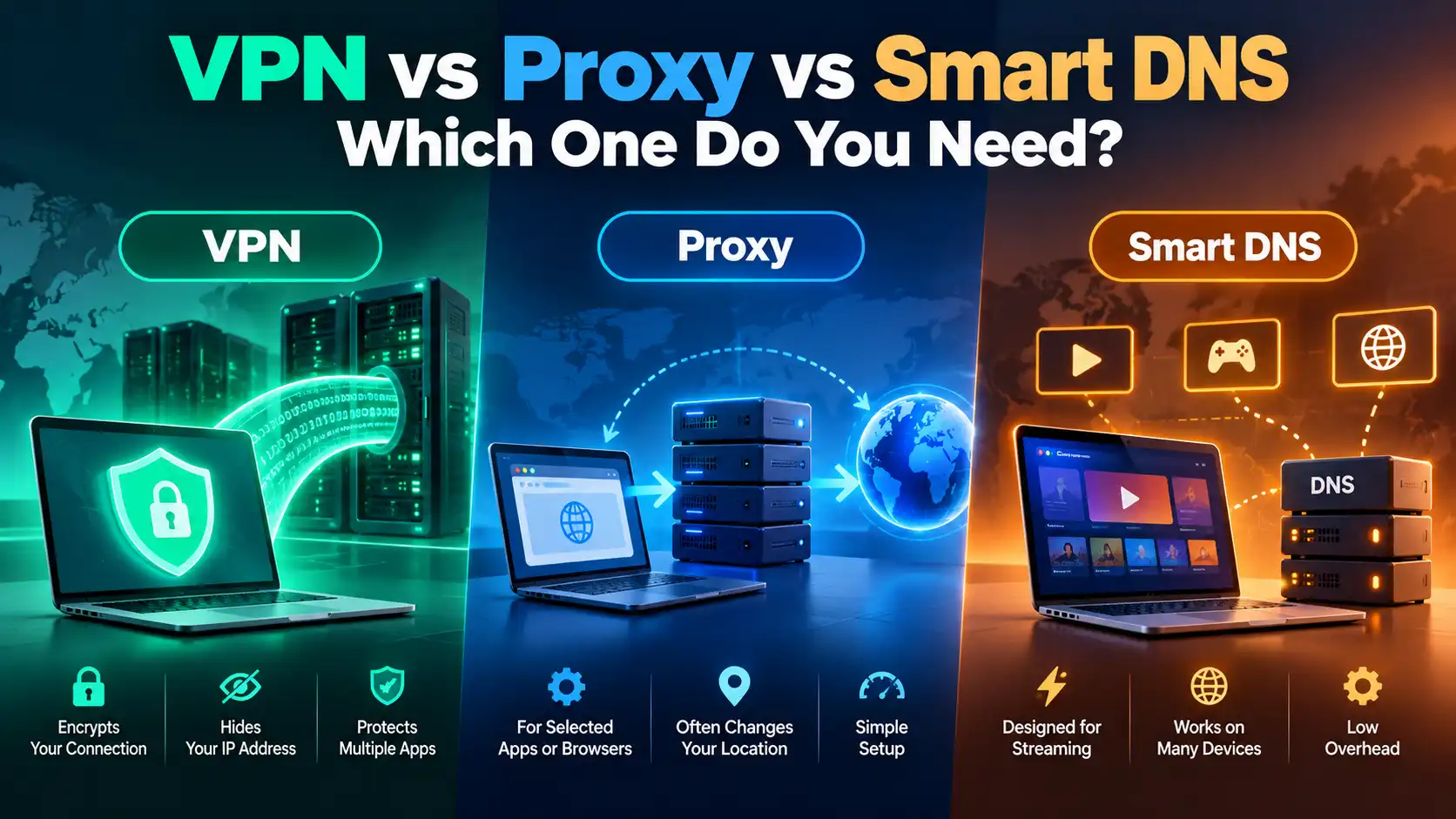
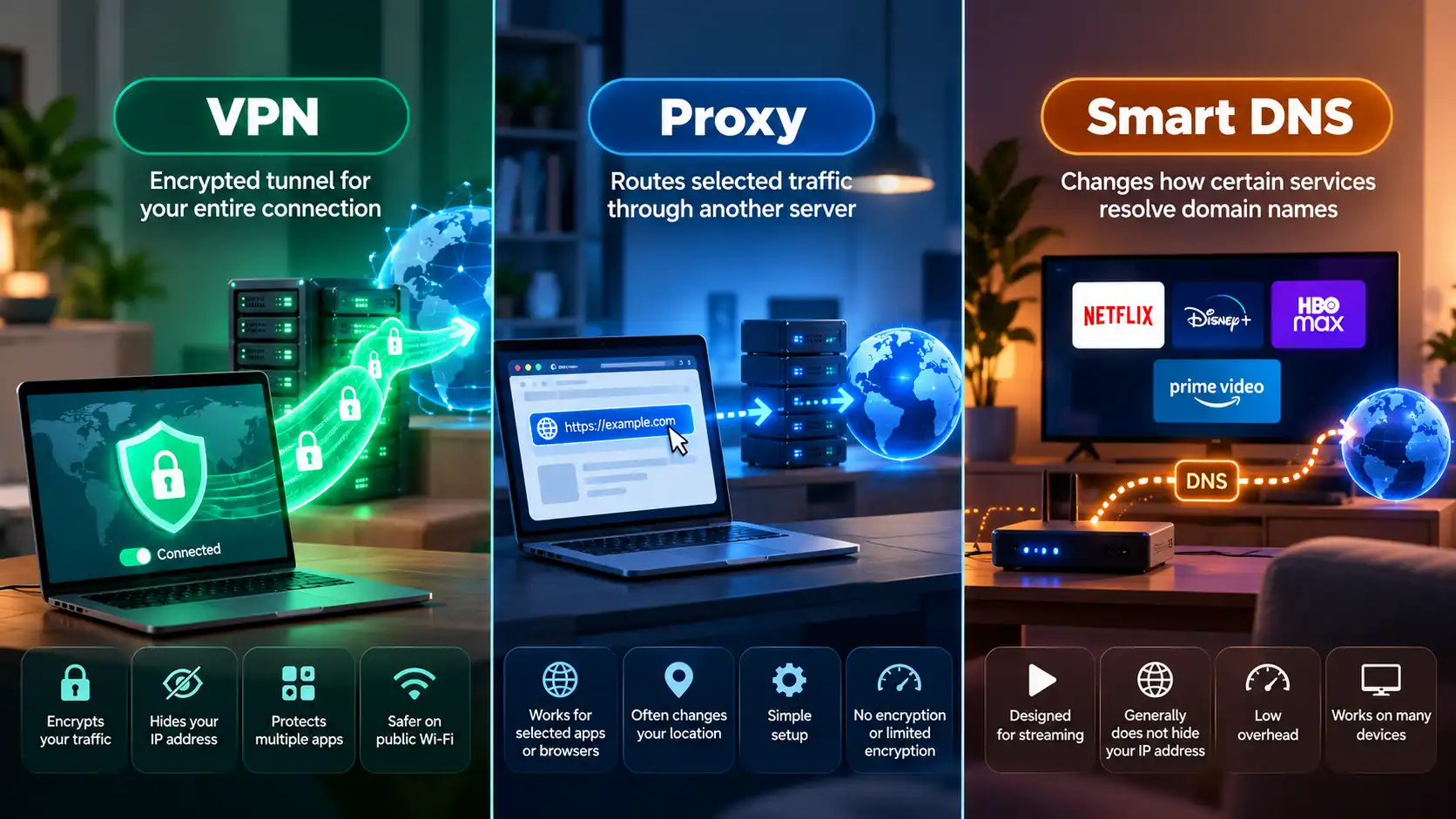
A VPN encrypts your connection to a remote server, a proxy forwards selected internet traffic, and Smart DNS modifies how certain services resolve domain names to support location-dependent access.
Choosing the wrong one could leave your connection less private than you expect or cause unnecessary compatibility problems.
In this guide, we'll compare VPNs, proxies, and Smart DNS in terms of security, privacy, speed, streaming, device compatibility, and everyday usability.
By the end, you'll understand exactly which technology makes sense for your needs.
VPN vs Proxy vs Smart DNS: Quick Comparison
If you're looking for a quick answer, here's how these three technologies compare.
Feature | VPN | Proxy | Smart DNS |
|---|---|---|---|
Hides your public IP address | Yes, for tunneled traffic | Usually, for proxied traffic | Generally no |
Adds connection encryption | Yes | Depends on proxy type | No VPN-style encryption |
Protects multiple applications | Usually | Typically selected apps | Selected services |
Changes apparent location | Yes | Often | For supported services |
Helps on public Wi-Fi | Yes | Limited, depending on setup | No additional tunnel protection |
Streaming compatibility | Service-dependent | Service-dependent | Designed for certain streaming setups |
Typical speed impact | Varies by server and protocol | Varies by proxy | Often low overhead |
Setup | VPN app or configuration | Browser or app settings | DNS configuration |
Best use case | General online privacy | Selective traffic routing | Supported streaming devices |
The short answer:
Choose a VPN if your priority is privacy, encrypted connections, and protection across multiple applications.
Choose a proxy if you need to route traffic from a specific browser, application, or development tool through another server.
Choose Smart DNS if your main goal is accessing supported location-dependent streaming services on a device where installing a VPN may be inconvenient.
For most people looking for everyday network privacy, a reputable VPN is the more comprehensive solution.
Let's explore why.
What Is a VPN and How Does It Work?
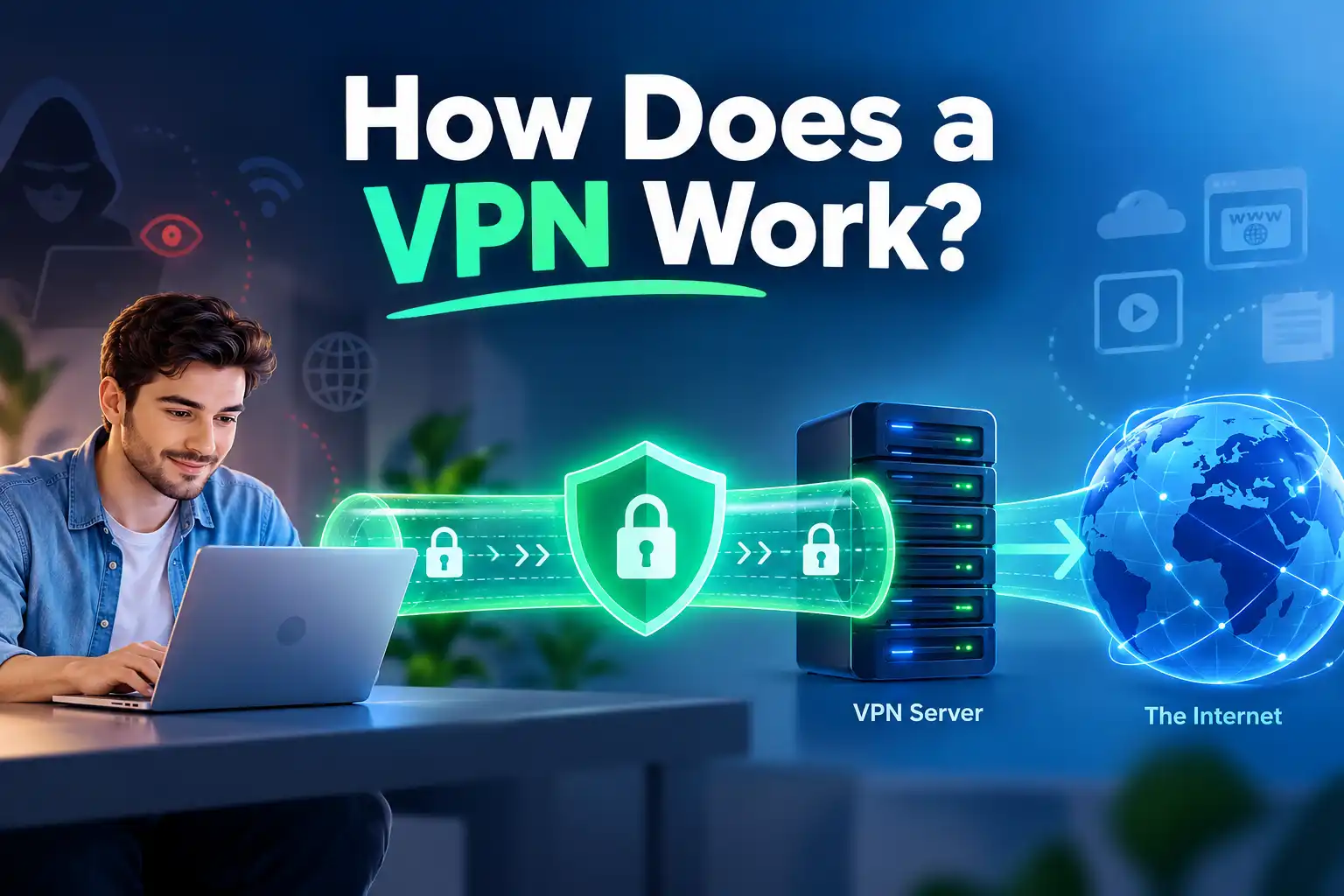
A Virtual Private Network, commonly called a VPN, creates an encrypted connection between your device and a VPN server.
When you activate a VPN, supported internet traffic travels through this secure tunnel before reaching its destination.
Instead of websites seeing your usual public IP address, they generally see the public IP address of the VPN server.
This changes how your connection appears to websites and reduces the information visible to your local network operator and internet service provider.
How a VPN Connection Works
Here's a simplified example.
Without a VPN:
Your Device → Internet Provider → Website
With a VPN:
Your Device → Encrypted VPN Tunnel → VPN Server → Website
Your internet provider still carries the connection to the VPN server, but it generally cannot directly inspect the destinations and traffic contents carried inside a properly configured encrypted VPN tunnel.
The VPN server then forwards your traffic to the website or online service.
Keep in mind that encryption between your device and the VPN server does not automatically mean every connection beyond the VPN server is encrypted. HTTPS remains important for protecting communication with websites.
Key Benefits of Using a VPN
A VPN offers several useful privacy and security advantages.
1. IP Address Masking
Websites generally see your VPN server's public IP address instead of the public address of your home or mobile internet connection.
This can reduce IP-based tracking and change your approximate IP-based location.
2. Encrypted Internet Traffic
A VPN encrypts the connection between your device and its VPN server.
This helps protect supported traffic from inspection by parties operating the local network, including operators of unfamiliar public Wi-Fi hotspots.
3. Broader Application Coverage
Unlike a typical browser proxy, a device-level VPN can protect traffic from multiple applications.
These may include browsers, messaging applications, email clients, and other software.
The exact coverage depends on your VPN settings, device, and any split tunneling rules.
4. Greater Privacy on Untrusted Networks
A VPN can provide an additional privacy layer when connecting through networks you do not fully trust.
5. Flexible Server Locations
Many VPN services let you choose from servers in different countries.
This can change your apparent IP-based location, although individual websites and streaming platforms may still recognize or restrict VPN connections.
What Are the Disadvantages of a VPN?
Despite these benefits, VPNs have limitations.
Encryption and routing can introduce some connection overhead.
Distant servers may increase latency.
Certain websites and applications restrict VPN traffic.
A VPN provider becomes an additional party you need to trust.
VPNs do not automatically prevent phishing, malware, or account-based tracking.
A VPN also does not make you completely anonymous.
For example, if you log into a social media account, the platform can still identify your account even if you're using a VPN.
For a deeper explanation, read What Does a VPN Hide?.
What Is a Proxy Server?
A proxy server is an intermediary between an application and an internet service.
Instead of connecting directly to a website, your application sends its request to a proxy server.
The proxy forwards that request and returns the response.
In many configurations, the destination website sees the proxy server's IP address rather than your original public IP address.
How a Proxy Server Works
Without a proxy:
Your Browser → Website
With a proxy:
Your Browser → Proxy Server → Website
This may look similar to a VPN connection.
However, there is an important distinction.
Most traditional proxy configurations do not create an encrypted tunnel for your entire device.
Instead, they route only the traffic specifically configured to use the proxy.
For example, you might configure one browser to use a proxy while your messaging app and other software continue connecting directly to the internet.
Different Types of Proxy Servers
Not all proxies work the same way.
HTTP Proxy
An HTTP proxy is primarily used for web traffic.
It may be used for network management, caching, filtering, or routing HTTP requests through another server.
HTTP proxies can also support tunneling HTTPS connections through the CONNECT method.
HTTPS or Secure Proxy
The term HTTPS proxy is sometimes used in different ways.
In some cases, it refers to a proxy that handles HTTPS website connections. In others, it describes a proxy connection protected by TLS encryption.
These are not necessarily identical.
A properly configured secure proxy can encrypt the connection to the proxy server, but that does not mean it provides the same coverage as a device-level VPN.
SOCKS5 Proxy
SOCKS5 is a more flexible proxy protocol that can forward different kinds of application traffic.
It is commonly used in specialized networking configurations and development workflows.
However, SOCKS5 does not provide encryption by itself.
Applications still need HTTPS, TLS, or another encryption mechanism to protect sensitive data.
Advantages of Proxy Servers
Proxies can be useful for:
Routing traffic from a specific application.
Testing websites from different network locations.
Controlling traffic in business or development environments.
Managing application-specific network connections.
Using different proxy configurations for authorized testing workflows.
Disadvantages of Proxy Servers
Proxy services also have limitations.
Many ordinary proxies do not encrypt the connection between your device and the proxy. However, HTTPS connections to websites remain encrypted at the application layer.
Additional limitations include:
Protection may apply to only one application.
DNS requests may follow a different route.
Untrusted proxy operators may monitor or log traffic.
Free public proxies can present privacy and reliability risks.
Configuration can be more complicated for nontechnical users.
A proxy can be an excellent tool for a specific networking task, but it should not automatically be treated as a comprehensive privacy solution.
What Is Smart DNS?
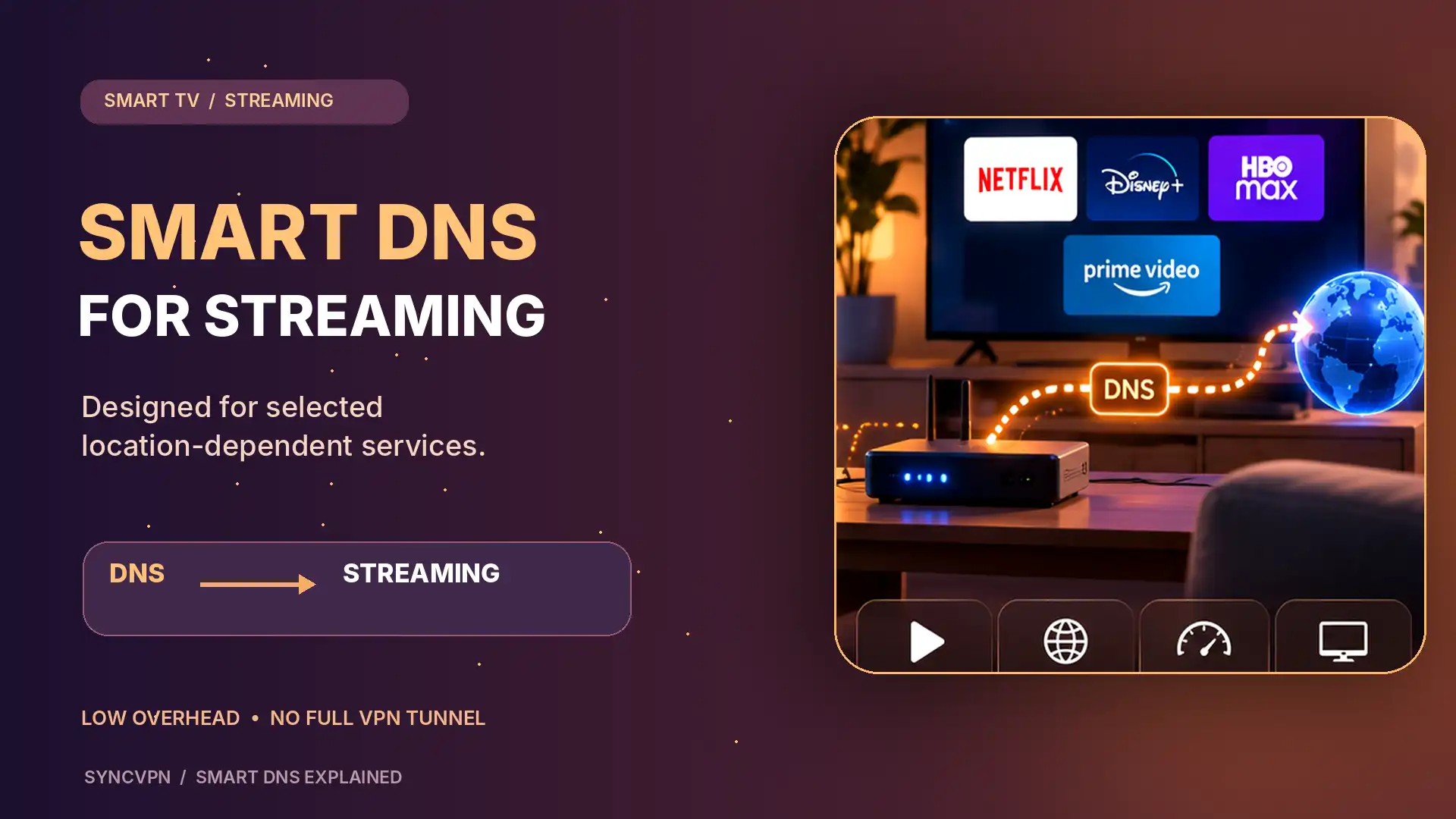
Smart DNS is a technology designed primarily to help devices access certain location-dependent online services.
It works by changing how selected domain name requests are resolved and, depending on the provider, directing certain service-related connections through intermediary servers.
To understand Smart DNS, it helps to understand ordinary DNS.
How Does DNS Work?
DNS stands for Domain Name System.
When you type a website address into your browser, your device needs to identify the corresponding IP address.
A DNS resolver helps translate a domain name, such as example.com, into the network address needed to establish a connection.
Think of DNS as a directory that helps your device locate online services.
How Is Smart DNS Different?
A Smart DNS provider can modify the resolution of selected domains to support access through its own network infrastructure.
Some Smart DNS implementations also route particular connections through proxy servers.
Unlike a traditional VPN, Smart DNS generally does not create an encrypted tunnel for your device's entire internet connection.
It also normally does not replace your public IP address across all websites.
The main goal of Smart DNS is service-specific access, not comprehensive privacy protection.
Advantages of Smart DNS
Smart DNS may be useful because:
It can work on certain devices that do not support native VPN applications.
It typically adds less processing overhead than a full VPN tunnel.
It can be configured through DNS settings on compatible devices or routers.
It may help with supported location-dependent streaming services.
Disadvantages of Smart DNS
Smart DNS has important limitations.
It does not provide the same encrypted tunnel as a VPN.
It does not generally hide your original IP address from all websites.
It does not protect all device traffic from local network inspection.
It may support only selected platforms or services.
Streaming providers may detect or block Smart DNS configurations.
Smart DNS is also not the same as encrypted DNS technologies such as DNS over HTTPS or DNS over TLS.
Those technologies can protect DNS queries in transit but do not, on their own, provide VPN-style protection for all application traffic.
VPN vs Proxy: What Is the Main Difference?
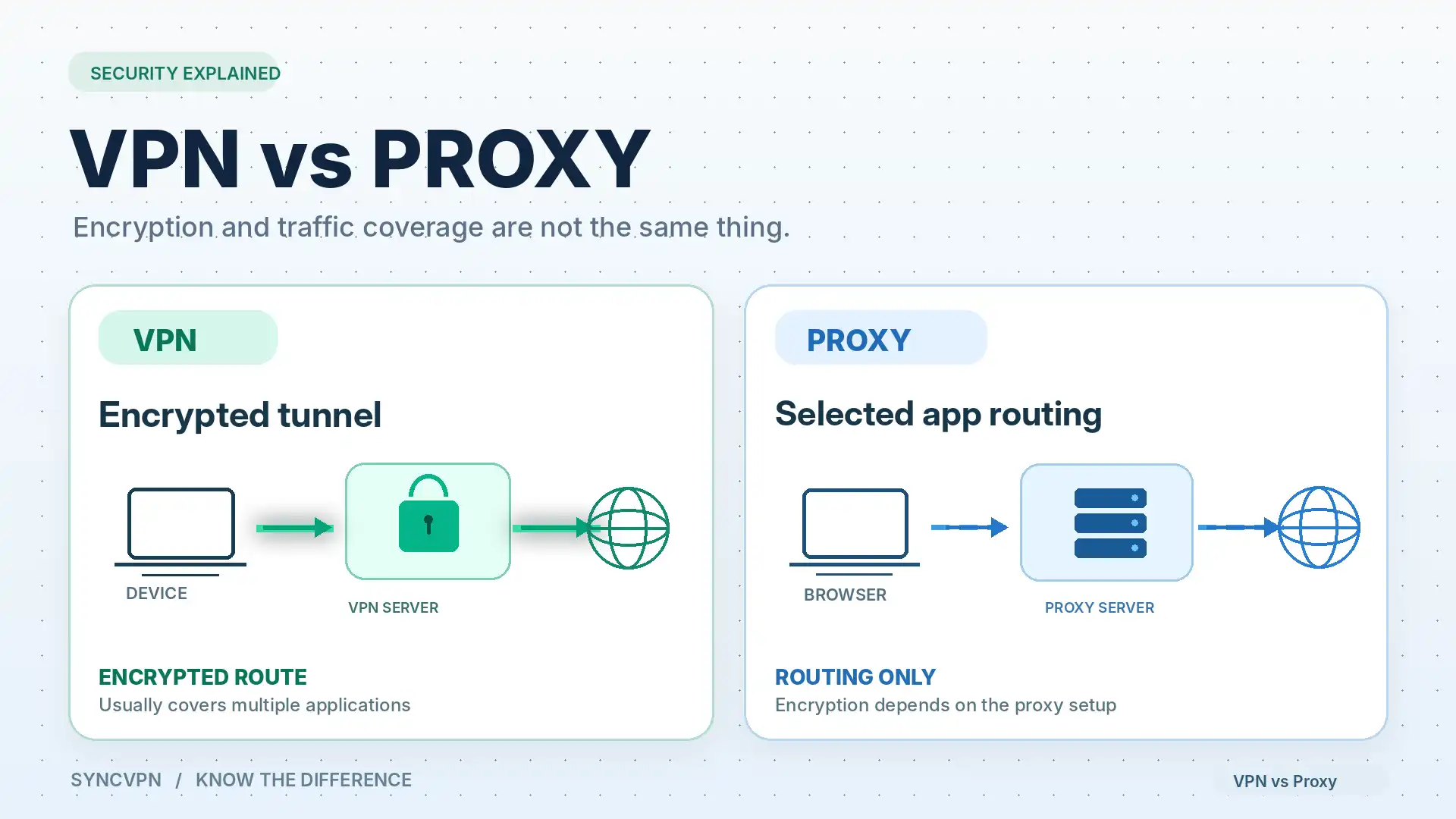
The biggest difference between a VPN and a proxy comes down to encryption, traffic coverage, and configuration.
Both can route connections through an intermediary server.
However, a VPN generally provides a broader encrypted tunnel, while a proxy usually handles selected application traffic.
Let's compare the most important differences.
1. Encryption and Security
A VPN creates an encrypted tunnel between your device and the VPN server.
This adds a layer of protection for traffic sent through that connection.
An ordinary HTTP or SOCKS5 proxy does not automatically provide equivalent encryption.
But this does not mean websites become completely unencrypted when you use a proxy.
If you connect to an HTTPS website through a proxy, HTTPS still protects communication between your browser and that website.
A secure proxy may also encrypt its own client-to-proxy connection.
The real distinction is that a VPN provides tunnel-level encryption for the traffic it carries, whereas proxy encryption depends on the specific protocol and configuration.
For general network privacy, VPNs usually provide a more comprehensive solution.
2. Traffic Coverage
A typical VPN application operates at the device or operating-system level.
This allows it to route traffic from multiple applications without configuring each one separately.
A proxy is often configured within a browser, application, or individual networking tool.
For example, configuring a proxy in your browser does not necessarily affect your email application or background software updates.
A VPN can also support selective routing through a feature known as split tunneling.
Learn more in What Is VPN Split Tunneling?.
3. IP Address Privacy
Both VPNs and proxies can change the IP address visible to websites.
With a VPN, the destination generally sees the VPN server's public IP address for tunneled connections.
With a proxy, the destination generally sees the proxy server's address for the requests routed through it.
However, some proxy configurations forward information about the original client, and applications not configured to use the proxy may expose your usual public IP address.
A properly configured VPN can offer more consistent IP masking across multiple applications.
You can learn more in our guide: Does a VPN Hide Your IP Address?.
4. Internet Speed
A common question in the VPN vs proxy comparison is whether a proxy is faster.
There is no universal winner.
VPN performance depends on factors such as server distance, protocol efficiency, server congestion, and network conditions.
Proxy performance depends on similar factors, as well as the proxy's architecture and the type of traffic being forwarded.
Some lightweight proxies introduce less encryption overhead, but that does not guarantee a faster connection.
A well-optimized VPN may perform better than a congested or poorly configured proxy.
For more information, read Does a VPN Slow Down Your Internet?.
5. Ease of Use
For most everyday users, a consumer VPN application can be straightforward.
The typical process involves installing the app, choosing a server, and connecting.
Proxy setup may require entering a server address, port number, authentication details, and application-specific settings.
However, managed business proxies and browser-based proxy tools can also offer simple interfaces.
The easiest solution depends on what you want to accomplish.
VPN vs Smart DNS: Which Is Better for Streaming?
Streaming is one of the most common reasons people compare VPNs with Smart DNS services.
Both technologies may support location-dependent access in certain situations, but they work differently.
Using a VPN for Streaming
A VPN changes the public IP address visible to streaming services for traffic routed through its server.
It also encrypts the connection between your device and the VPN endpoint.
This provides additional network privacy while using compatible streaming applications.
However, some streaming services identify VPN infrastructure and may limit access.
Streaming availability can also depend on your account, billing region, licensing agreements, and the platform's terms of service.
A VPN does not guarantee access to every streaming catalog.
Using Smart DNS for Streaming
Smart DNS is designed for selected location-dependent services.
Because it does not typically encrypt and tunnel all internet traffic, it may avoid some of the overhead associated with a full VPN connection.
It can also be convenient on compatible televisions or media devices that do not allow direct installation of VPN software.
However, Smart DNS support is service-specific, and streaming platforms can change their detection or access requirements.
Smart DNS also does not offer the same general privacy protections as a VPN.
Which Should You Choose?
If you want streaming access alongside broader network privacy, a VPN is generally the more suitable option.
If your only priority is a supported streaming service on a device with limited VPN capabilities, Smart DNS may be worth considering.
In both cases, verify compatibility with the specific device and streaming platform before subscribing.
VPN vs Proxy vs Smart DNS for Gaming
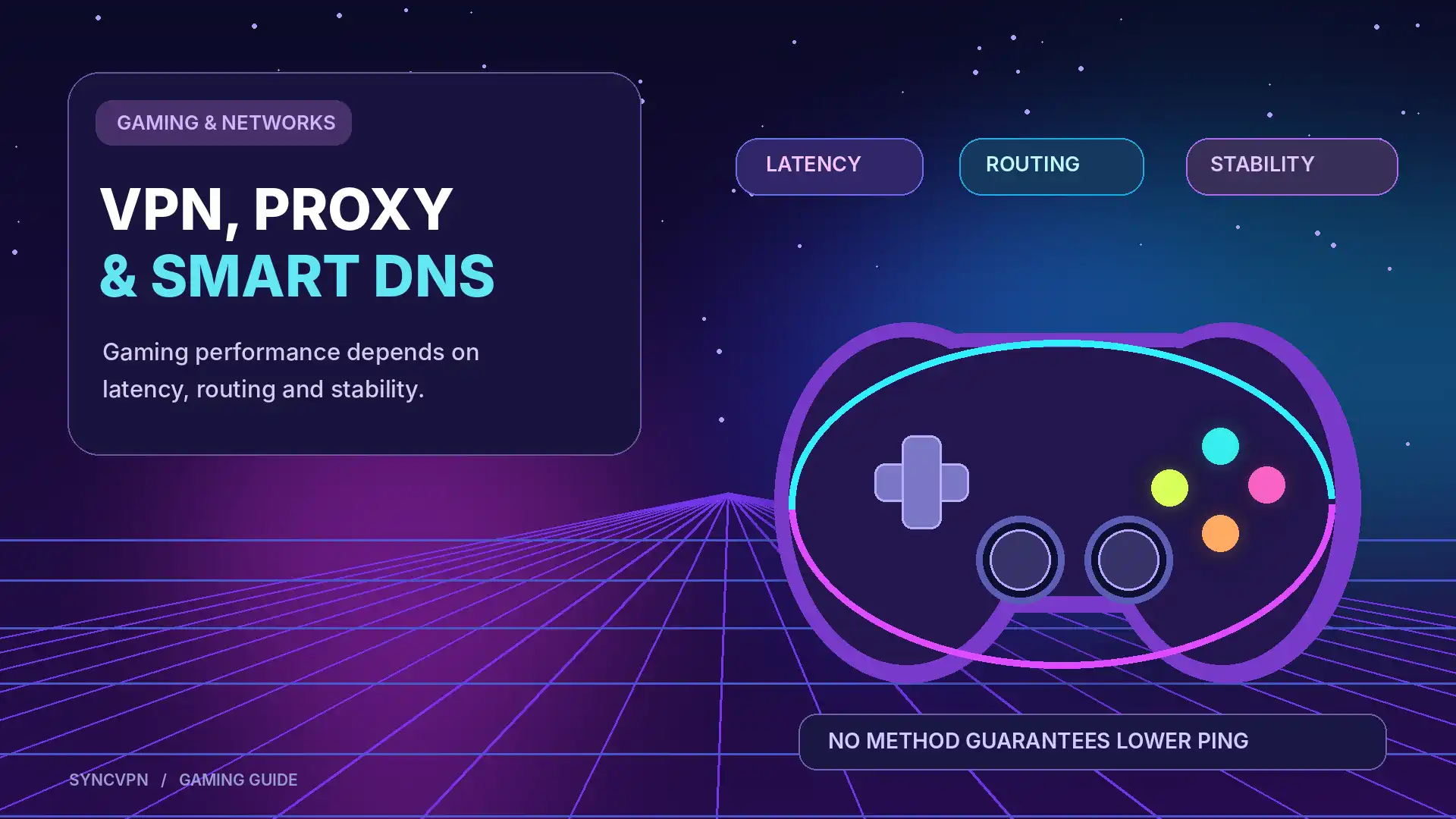
Online gaming introduces different requirements.
Low latency, connection stability, and consistent routing often matter more than simply changing your apparent location.
VPN for Gaming
A VPN can hide your usual public IP address from services and peers that would otherwise see it.
It can also encrypt traffic between your device and the VPN server.
However, routing traffic through an additional server can increase latency.
In certain network situations, a different route may perform better, but a VPN is not a guaranteed solution for high ping.
Proxy for Gaming
Some games and networking tools can use compatible proxies.
However, not all proxy services support the connection types, protocols, or real-time traffic required by online games.
Configuration can also introduce additional complexity and latency.
Smart DNS for Gaming
Smart DNS does not generally provide the IP masking or encrypted tunnel of a VPN.
It also does not automatically improve ping or protect gaming traffic.
For most gaming problems, you should first investigate server location, local network congestion, Wi-Fi quality, and your internet connection.
For gaming privacy, a VPN may provide additional protection. For gaming performance, test the actual connection rather than assuming any of these tools will reduce latency.
Which Is Better for Public Wi-Fi Security?
Imagine connecting to free Wi-Fi at an airport, hotel, or coffee shop.
You're using a network controlled by someone else, and you may not know how it is configured.
Modern HTTPS websites already encrypt most sensitive browser traffic, but a VPN can provide an additional layer of privacy for the traffic it carries.
A typical device-level VPN encrypts supported connections between your device and the VPN server.
An ordinary proxy may not protect the client-to-proxy connection, while Smart DNS does not provide general-purpose VPN tunnel encryption.
For this reason, a trustworthy VPN is generally the better choice when your goal is additional network privacy on unfamiliar Wi-Fi.
However, a VPN cannot protect against every attack.
Fake login pages, malicious downloads, compromised devices, and phishing scams remain risks regardless of which connection technology you use.
For more practical advice, read Is Public Wi-Fi Safe? How to Protect Yourself.
Is a Free Proxy Better Than a Paid VPN?
Free proxy services can look attractive because they allow users to route certain requests without purchasing a subscription.
However, there are important considerations.
A public proxy operator may be able to observe connection metadata and, depending on the setup, unencrypted traffic.
Some free proxies are unstable, slow, or poorly maintained.
Others may have unclear privacy policies.
A reputable paid VPN may offer more comprehensive encryption, broader application coverage, and dedicated customer support.
However, price alone does not determine whether a service is trustworthy.
There are reputable free VPN offerings, just as there are paid services with questionable privacy practices.
Before choosing either option, review:
The provider's privacy and logging policies.
Available security features.
The supported encryption protocols.
The company's reputation and transparency.
The permissions required by its applications.
The provider's terms of service.
Avoid using unfamiliar public proxies for sensitive activities such as accessing financial accounts or entering confidential information.
Can You Use a VPN and Proxy Together?
Yes.
A VPN and a proxy can sometimes be used simultaneously.
For example, a device may connect through a VPN while a particular application sends its traffic to an additional proxy server.
Depending on the routing configuration, the destination may see the proxy's IP address while the connection between the device and the VPN server remains encrypted.
However, combining technologies is not automatically more secure.
Additional routing layers can create compatibility problems, increase latency, complicate DNS resolution, and make troubleshooting more difficult.
For most everyday privacy needs, a properly configured VPN is sufficient without an additional proxy.
Advanced configurations can make sense for development, testing, or specialized networking requirements.
How to Choose Between VPN, Proxy and Smart DNS
Rather than asking which technology is universally best, start with your primary goal.
Your main goal | Recommended option |
|---|---|
Protect supported traffic on public Wi-Fi | VPN |
Hide your usual public IP across multiple apps | VPN |
Improve general network privacy | VPN |
Route one browser through a specific server | Proxy |
Configure different routes for development tools | Proxy |
Use location-dependent services on certain Smart TVs | Smart DNS or a compatible VPN setup |
Protect everyday browsing while traveling | VPN |
Access a private company network | An approved corporate VPN or other authorized access system |
Reduce gaming latency | Test the network route; none guarantees improvement |
Each technology solves a different problem.
A VPN is generally the most comprehensive option for personal network privacy.
A proxy provides targeted traffic routing.
Smart DNS focuses on selected service compatibility rather than encryption.
Why Choose SyncVPN for Everyday Privacy?
If your priority is protecting your internet connection rather than simply changing DNS settings or routing one application, a VPN provides broader functionality.
SyncVPN is designed to help users protect supported internet traffic through encrypted VPN connections.
Depending on your selected plan, SyncVPN offers features including:
Encrypted VPN Connections
SyncVPN supports established VPN protocols such as WireGuard, OpenVPN, and IKEv2.
These protocols help secure supported traffic between your device and the VPN server.
Multiple Server Locations
SyncVPN provides a network of VPN servers across different countries.
Users can select an available server to change the public IP address visible to compatible websites and services.
Multi-Device Support
SyncVPN offers support for popular platforms, allowing users to protect compatible devices without manually configuring a separate browser proxy for each application.
The number of simultaneous connections depends on the subscription plan.
Dedicated IP Options
For users who require a consistent assigned IP address, SyncVPN also offers dedicated IP options on selected plans.
Additional Privacy Features
SyncVPN lists features such as ad and tracker blocking and flexible protocol support in its subscription offerings.
Specific settings and feature availability may vary by device, operating system, and subscription.
Looking for more than an IP address change?
Explore SyncVPN plans and choose a VPN solution that fits your privacy and device needs.
Frequently Asked Questions
1. What Is the Difference Between a VPN and a Proxy?
A VPN creates an encrypted tunnel between your device and a VPN server, typically protecting traffic across multiple applications.
A proxy forwards selected requests through an intermediary server, generally without providing equivalent device-wide tunnel encryption.
Both can change the public IP address visible to websites, but their security coverage and configuration differ.
2. Is a VPN Better Than a Proxy?
For comprehensive network privacy and encrypted traffic routing, a VPN is generally the better choice.
For specialized tasks such as application-specific routing, a proxy may be more practical.
The best option depends on your requirements.
3. Does a Proxy Hide Your IP Address?
Yes, many proxy servers hide your usual public IP address from the destination receiving proxied requests.
However, the protection usually applies only to traffic configured to use the proxy.
Some configurations may also forward information about your original address.
4. Does Smart DNS Hide Your IP Address?
Generally, no.
Smart DNS primarily changes how selected service domains are resolved and may route particular service-related traffic through intermediate servers.
It does not typically replace your public IP address across all internet activities.
5. Is Smart DNS Faster Than a VPN?
Smart DNS often introduces less processing overhead because it does not establish a general-purpose encrypted VPN tunnel.
However, actual speed depends on the service, network, device, and server conditions.
A Smart DNS service is not guaranteed to outperform a VPN.
6. Can a Proxy Encrypt My Internet Traffic?
Some secure proxies provide encryption between the client and the proxy server.
However, ordinary HTTP and SOCKS5 proxies do not automatically offer encryption comparable to a device-level VPN tunnel.
HTTPS website connections remain encrypted independently of whether a proxy is used.
7. Is a VPN More Secure Than Smart DNS?
For encrypting internet traffic between your device and a remote server, yes.
Smart DNS does not generally provide VPN-style tunnel encryption and should not be considered a replacement for a VPN when network privacy is your primary concern.
8. Can I Use Smart DNS and a VPN Together?
It may be possible, but the outcome depends on your VPN's DNS configuration and the Smart DNS service.
Many VPNs direct DNS queries through their own resolvers, which can override external Smart DNS settings.
Combining them may therefore cause conflicts or prevent the Smart DNS service from working correctly.
9. Does a VPN Make Me Completely Anonymous?
No.
A VPN can mask your usual public IP address and reduce what your local network or ISP can observe about properly tunneled traffic.
However, websites can still identify you through account logins, cookies, browser fingerprinting, or information you voluntarily provide.
VPN providers may also have visibility into certain connection information, depending on their systems and policies.
10. Do I Need a VPN If I Already Use HTTPS?
HTTPS already protects the contents of your connection to a properly configured website.
A VPN adds a separate encrypted connection between your device and the VPN server, which can provide additional network privacy.
The two technologies complement each other rather than serve as complete substitutes.
11. Are VPNs and Proxies Legal?
VPNs and proxy services are legal in many jurisdictions, but laws and restrictions vary by country.
Individual services may also restrict their use through terms of service.
Always follow applicable laws and the policies of the services you access.
12. Which Is Better for Everyday Use: VPN, Proxy or Smart DNS?
If your goal is broader network privacy, a reputable VPN is generally the most practical choice.
A proxy is more suitable for selected application traffic, while Smart DNS is designed primarily for specific location-dependent services.
Final Verdict: VPN vs Proxy vs Smart DNS
VPNs, proxies, and Smart DNS services can all change aspects of how your device connects to the internet, but they are not interchangeable.
A VPN focuses on encrypted network traffic and IP address privacy.
A proxy focuses on forwarding selected application traffic.
Smart DNS focuses on modifying service-specific DNS resolution and routing.
If you only need to route one application through another server, a proxy may be enough.
If you're using a compatible streaming device and need a service-specific configuration, Smart DNS may be useful.
But if you're looking for a more comprehensive solution for browsing privacy, public Wi-Fi, and protection across supported applications, a trustworthy VPN is generally the better fit.
And remember: no VPN, proxy, or DNS service replaces safe browsing practices, HTTPS, software updates, or secure account authentication.
Ready to take more control of your online privacy?
Explore SyncVPN and discover encrypted VPN connections designed for everyday internet use.