A VPN can make your internet connection more private, but what information does it actually hide? Does it conceal your browsing history, change the location websites see, or stop your internet service provider (ISP) from knowing what you do online?
The short answer: A properly functioning VPN hides your usual public IP address from websites and encrypts traffic between your device and a VPN server. This reduces what your ISP and local Wi-Fi network can see about the destinations you visit. However, a VPN does not erase browser history, make logged-in accounts anonymous, or hide every form of tracking.
A VPN changes who can observe network information; it does not make you invisible. Here's what remains private, what stays visible, and how to check your protection.
What Does a VPN Actually Hide?
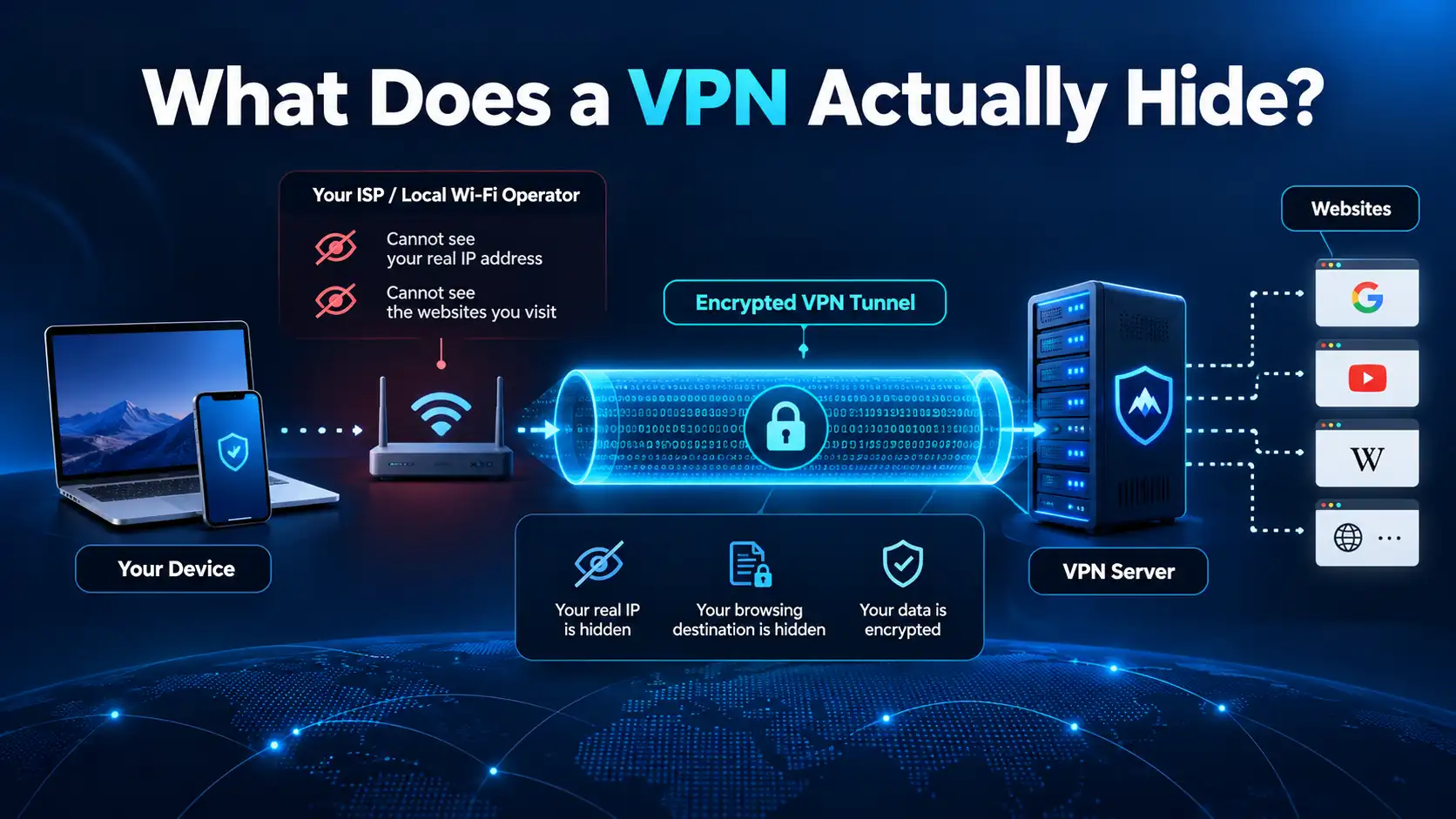
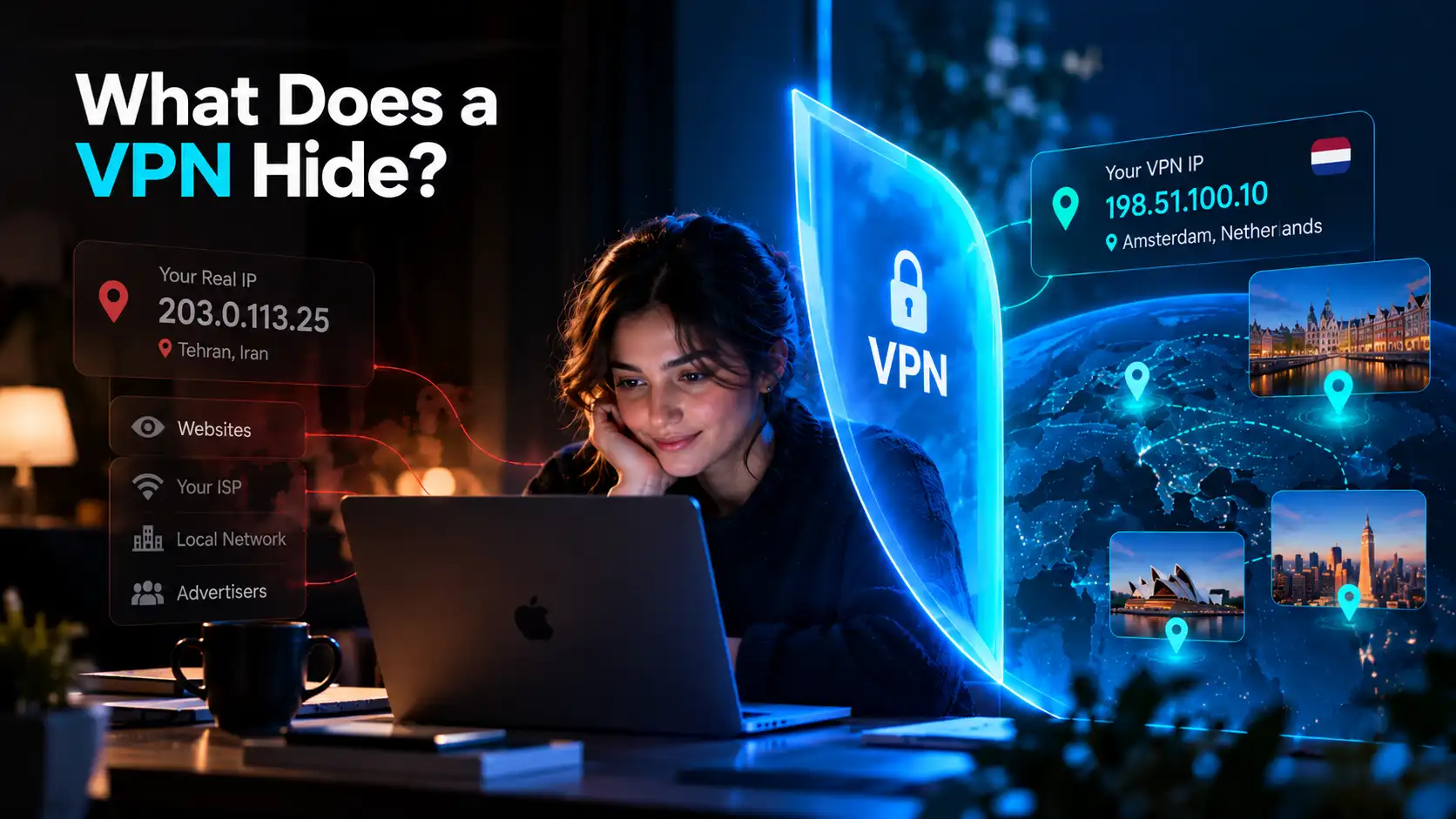
A VPN routes supported traffic through an encrypted tunnel to a VPN server. Once the traffic leaves that server, it continues toward the websites and services you use. This changes the information available to different observers.
Your Usual Public IP Address
Websites normally receive the public IP address of the network connecting to them. With a VPN, they generally see the VPN server's public IP address instead of your home, office, or mobile network's address.
This can reduce IP-based tracking and location estimates. It does not hide your activity from the site or your account there.
Some Information About Your Browsing Destinations
When traffic travels through the VPN tunnel, your ISP and the operator of your local Wi-Fi network generally cannot directly inspect which websites and services you are contacting inside that tunnel.
They can still see the connection to the VPN server, its timing, and how much data is transferred. Traffic intentionally excluded from the VPN or affected by a leak may remain visible.
Your Approximate IP-Based Location
Because websites see the VPN server's IP address, an IP-based location check may place you near that server rather than near your actual device.
However, IP geolocation is approximate, and a VPN does not override GPS, location permissions, nearby Wi-Fi positioning, or a delivery address you enter yourself.
Traffic on an Untrusted Local Network
A VPN encrypts supported traffic between your device and its server, helping protect it from inspection on unfamiliar Wi-Fi networks. HTTPS already encrypts the contents of most modern website connections; the VPN adds a separate layer that can also reduce destination visibility to the local network.
Does a VPN Hide Your Browsing and Search History?
The phrase browsing history can mean different things, so the answer depends on who you want to hide it from.
From your ISP: For traffic correctly routed through the VPN, your ISP generally sees a VPN connection rather than a readable list of websites visited. It can still observe connection metadata.
From your browser or device: No. Your browser may continue saving visited pages locally. A VPN does not delete bookmarks, downloads, cookies, or previously saved history.
From search engines: Not necessarily. If you search while signed in to a Google or other search account, that service may associate searches with your account. A VPN does not stop account-based collection.
From someone using your device: Not automatically. Anyone who can access your browser profile or synced history may still see activity saved there.
For more private local browsing, review your browser's history and account settings. Private or incognito mode usually reduces local history storage during that session, but it does not replace a VPN or prevent websites from recognizing you.
What Does a VPN Hide From Your ISP?
Your ISP provides the internet connection your VPN uses. It therefore cannot be removed from the communication path.
Without a VPN, the ISP may be able to observe destination information and connection metadata. Properly secured HTTPS usually prevents it from reading page contents, passwords, or messages, even without a VPN.
When you connect to a VPN, your ISP can generally still observe:
Your connection to a VPN server and its IP address
When that connection starts and ends
The approximate amount of data transferred
Your connection's performance and other network metadata
For traffic inside the encrypted tunnel, it generally cannot directly read your browsing destinations or the data carried inside the tunnel. This protection does not necessarily apply to excluded apps, traffic outside the tunnel, or DNS requests that leak through another route.
Using a VPN therefore reduces one party's visibility rather than eliminating every observer.
What Can Websites and Apps Still See?
A website you visit still receives requests, even if those requests arrive from a VPN server.
It may know which pages you open, what you search for within the service, and what you purchase or upload. If you log in, the account can identify you regardless of the IP address used.
Websites and apps may also recognize you through cookies, advertising identifiers, browser fingerprinting, or information you grant them permission to access.
A weather app with GPS permission, for instance, may know your precise location while its internet connection uses a VPN server in another country. Similarly, a store can recognize your shipping address and payment details.
The VPN changes the network address visible to a service; it does not control all the information the service collects.
What Does a VPN Not Hide?
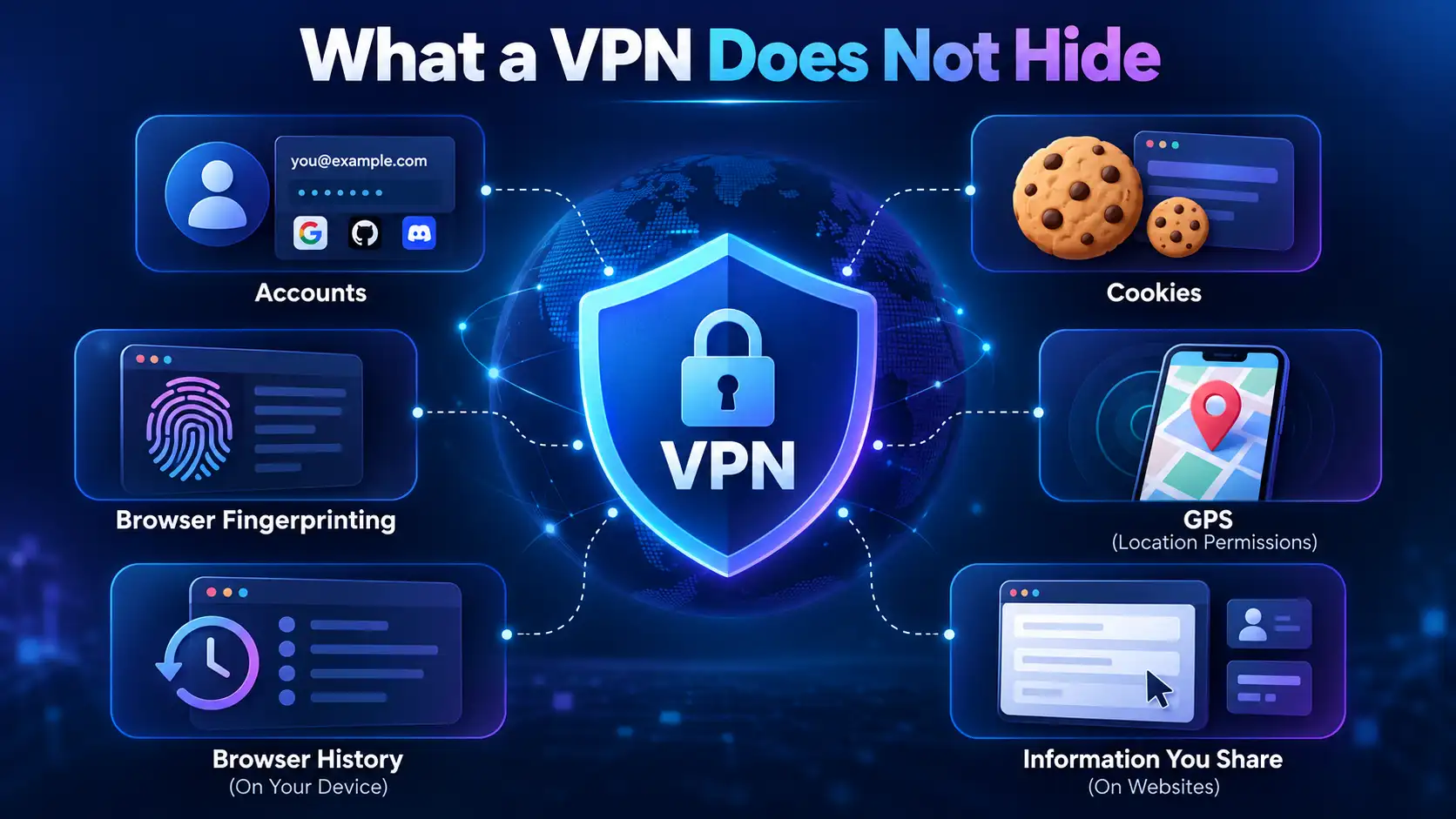
A VPN is a privacy tool, not an all-purpose anonymity or cybersecurity system. Important limitations include:
Account identity: Signing in to email, social media, or shopping accounts can identify you.
Cookies and browser fingerprints: Websites can use stored identifiers and device characteristics to recognize returning visitors.
GPS and location permissions: Apps may obtain your real location independently of your public IP address.
Local browser history: Visited pages and downloads can remain stored or synced on your devices.
Information you share: Names, messages, forms, photos, and payment details are still available to the services receiving them.
Malware and phishing: A VPN cannot make a fraudulent website trustworthy or guarantee that a downloaded file is safe.
Activity on managed devices: An employer or school controlling your device may use monitoring software outside the VPN's protection.
A VPN also does not necessarily protect traffic excluded through Split Tunneling, and it cannot guarantee that every app follows the same route under every operating-system configuration.
Most importantly, a VPN does not replace HTTPS. HTTPS protects the connection between your browser and the destination service. The VPN encrypts the separate segment between your device and the VPN server. They address different parts of the journey.
Who Can See What When You Use a VPN?
The answer depends on which observer you're talking about and whether the traffic is actually inside the tunnel.
Observer | What a VPN generally conceals | What may remain visible |
|---|---|---|
ISP | Destinations and traffic carried inside the tunnel | VPN server, connection times, data volume |
Public Wi-Fi operator | Tunneled destinations and traffic contents | VPN connection and network metadata |
Website or app | Your usual public IP and its approximate IP-based location | VPN IP, account activity, cookies, information you provide |
VPN provider | Your traffic from the local ISP's view | Connection metadata and potentially destination information, depending on design and policies |
Employer managing your device | Some network traffic from intermediate networks | Activity collected through managed software or accounts |
These are general patterns, not guarantees. A website using HTTPS can protect message contents from intermediaries, while a VPN provider may still have access to certain destination metadata. Choosing a provider requires understanding its privacy policy and technical practices.
Can a VPN Make You Completely Anonymous?
No. Masking an IP address is helpful, but an IP address is only one of many signals that can connect online activity to a person.
Logging in to the same account, accepting tracking cookies, sharing a phone number, or allowing precise location access can reveal your identity even with a VPN active.
VPN providers also become part of the trust relationship. Instead of your ISP directly observing tunneled destinations, the VPN provider may be positioned to observe certain connection information. What it retains depends on its service design and policies.
For stronger privacy, combine a trustworthy VPN with careful account practices, updated software, and browser privacy controls. No single product guarantees anonymity.
How to Check What Your VPN Is Hiding
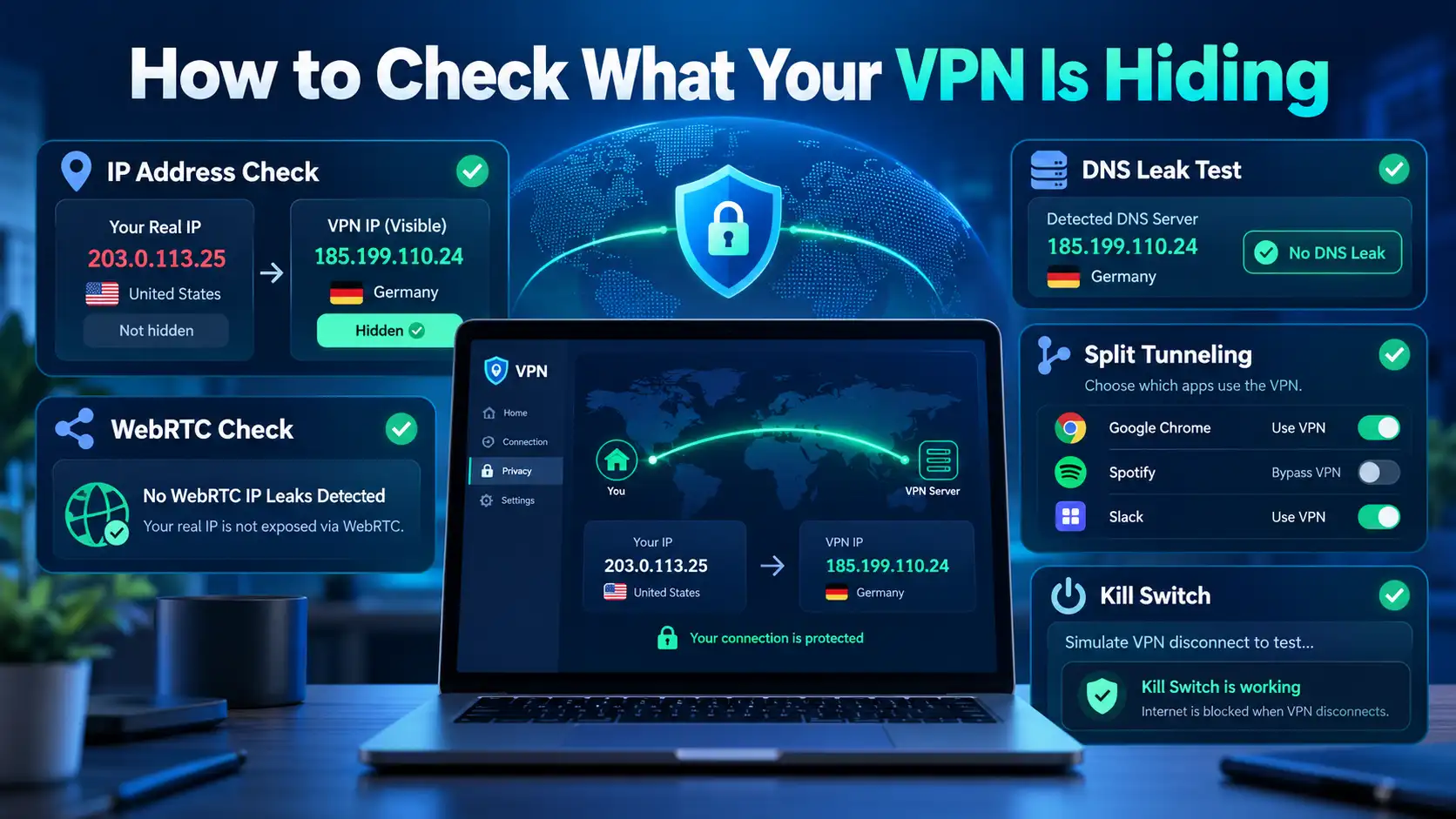
You can verify several practical aspects of your connection without relying on marketing promises.
1. Compare Your Public IP Address
Before connecting, check your public IP address using a reputable IP lookup service. Connect to your VPN and repeat the check.
If the displayed address changes to the VPN exit server's address, that suggests your browser traffic is using the VPN route. Remember that other apps may follow different routes.
2. Review DNS and WebRTC Behavior
DNS requests translate website names into IP addresses. Misconfiguration or certain device settings may cause some DNS requests to travel outside the VPN tunnel.
Independent DNS leak tests can help identify unexpected resolvers. Browser-based WebRTC checks may also reveal network addresses in some configurations. Results require interpretation: seeing a private local IP address does not automatically mean your public IP has leaked.
3. Review Split Tunneling and Kill Switch
Split Tunneling can deliberately send selected apps or destinations outside the VPN. Review any exceptions before assuming all traffic is protected.
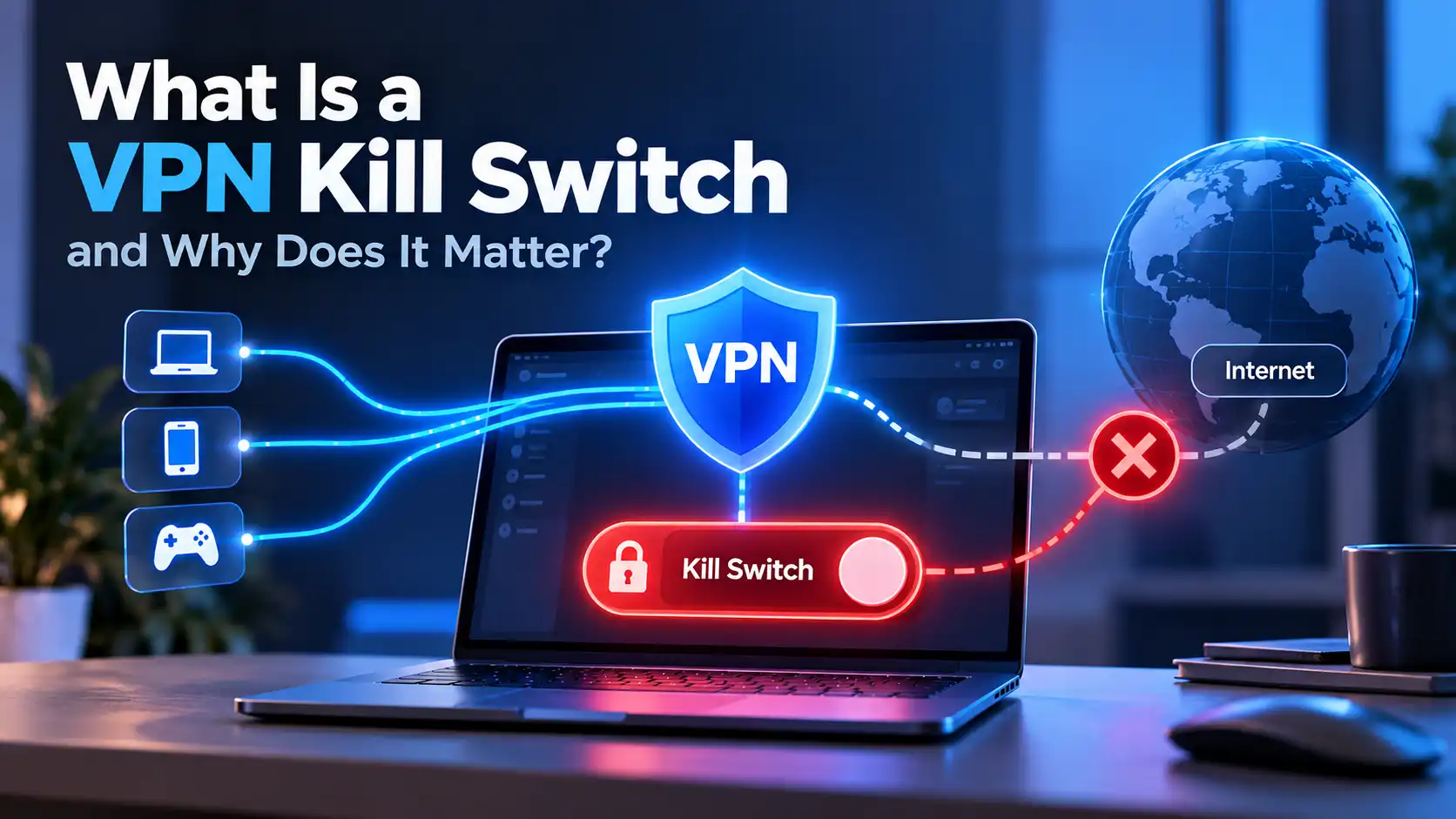
A Kill Switch, where supported and enabled, can help block affected traffic if the VPN unexpectedly disconnects. Its exact behavior varies by platform, app version, and configuration.
4. Check What Services Know About You
Visit your account privacy dashboards, browser permissions, and cookie settings. This shows a different side of privacy: information websites collect directly rather than through your network address.
For a meaningful check, test after changing networks or reconnecting, and never assume one successful IP test proves complete anonymity.
Improving Privacy With SyncVPN
SyncVPN can help reduce exposure of your normal public IP address and protect supported traffic between your device and a VPN server.
Begin by connecting to an available server and confirming that the app shows an established VPN connection. Check your public IP address if you want to verify the visible route.
Review the relevant SyncVPN Support Center guides for Kill Switch, Split Tunneling, and choosing a VPN protocol. These settings can affect what happens during a disconnection and which apps use the VPN tunnel.
In particular, remember that Split Tunneling exceptions may intentionally use your regular connection. Kill Switch behavior may differ between devices. Keep SyncVPN and your operating system updated, and continue using HTTPS and secure account settings.
A VPN provides useful network privacy, but realistic expectations are the foundation of using it well.
Frequently Asked Questions
Does a VPN Hide Your Browsing History From Your ISP?
For correctly tunneled traffic, a VPN generally prevents your ISP from directly seeing the websites you visit. Your ISP can still see the VPN connection, its timing, and data volume. Traffic outside the tunnel may remain visible.
Does a VPN Hide Your Search History From Google?
Not if Google can associate those searches with your signed-in account or other identifiers. A VPN can change the IP address Google sees, but it does not delete searches already saved to an account.
Does a VPN Hide Your Location?
It generally changes your apparent IP-based location. GPS, browser location permissions, nearby Wi-Fi networks, and information you provide can still reveal your real location.
Can Websites Track You With a VPN?
Yes. Websites may recognize logged-in accounts, cookies, browser fingerprints, and other identifiers. A VPN reduces IP-based exposure but does not eliminate all tracking.
Does a VPN Hide Your Activity From Your Employer?
Not necessarily. An employer that manages your device or work account may monitor activity through installed software or account records. A consumer VPN does not override those systems or workplace policies.
Can the VPN Provider See What You Do?
A VPN provider handles tunneled traffic and may have visibility into some connection or destination metadata. Properly secured HTTPS continues protecting the contents of website sessions. Review the provider's privacy policy and technical documentation.
Does Incognito Mode Do the Same Thing as a VPN?
No. Incognito or private browsing mainly limits what is saved in a local browser session. A VPN changes network routing and encrypts traffic to the VPN server. Neither makes you completely anonymous.
Final Thoughts
A VPN hides your usual public IP address from websites and reduces what your ISP or local Wi-Fi network can observe about correctly tunneled traffic. It can also change your apparent IP-based location.
But it does not erase browsing history, conceal signed-in accounts, disable tracking cookies, or protect you from every online threat.
The clearest way to think about VPN privacy is to ask: hidden from whom, and which information? When you understand that distinction, you can use SyncVPN and your other privacy tools more effectively.