Neither option is universally superior; a shared IP is better for maximum consumer anonymity, while a dedicated IP is better for avoiding repetitive CAPTCHAs, preventing online banking lockouts, and securing remote work connections. A shared IP blends your internet activity with hundreds of anonymous users, whereas a dedicated IP assigns a clean, exclusive address strictly to your account.
When configuring a Virtual Private Network, choosing between a shared IP and a dedicated IP defines your everyday online experience. Standard VPN packages automatically assign shared dynamic addresses every time you connect. While this shared pooling offers powerful cloaking against digital ad networks, it frequently triggers frustrating collateral damage: endless "I am not a robot" verification puzzles, flagged banking transactions, and locked remote work dashboards. In this guide, we break down the architectural differences between shared and dedicated IPs, analyze the infamous "bad neighbor effect," and help you decide which configuration fits your workflow.
The Architectural Difference: Shared vs. Dedicated IPs
To understand which IP type suits your needs, you must examine how network traffic is routed across VPN servers:
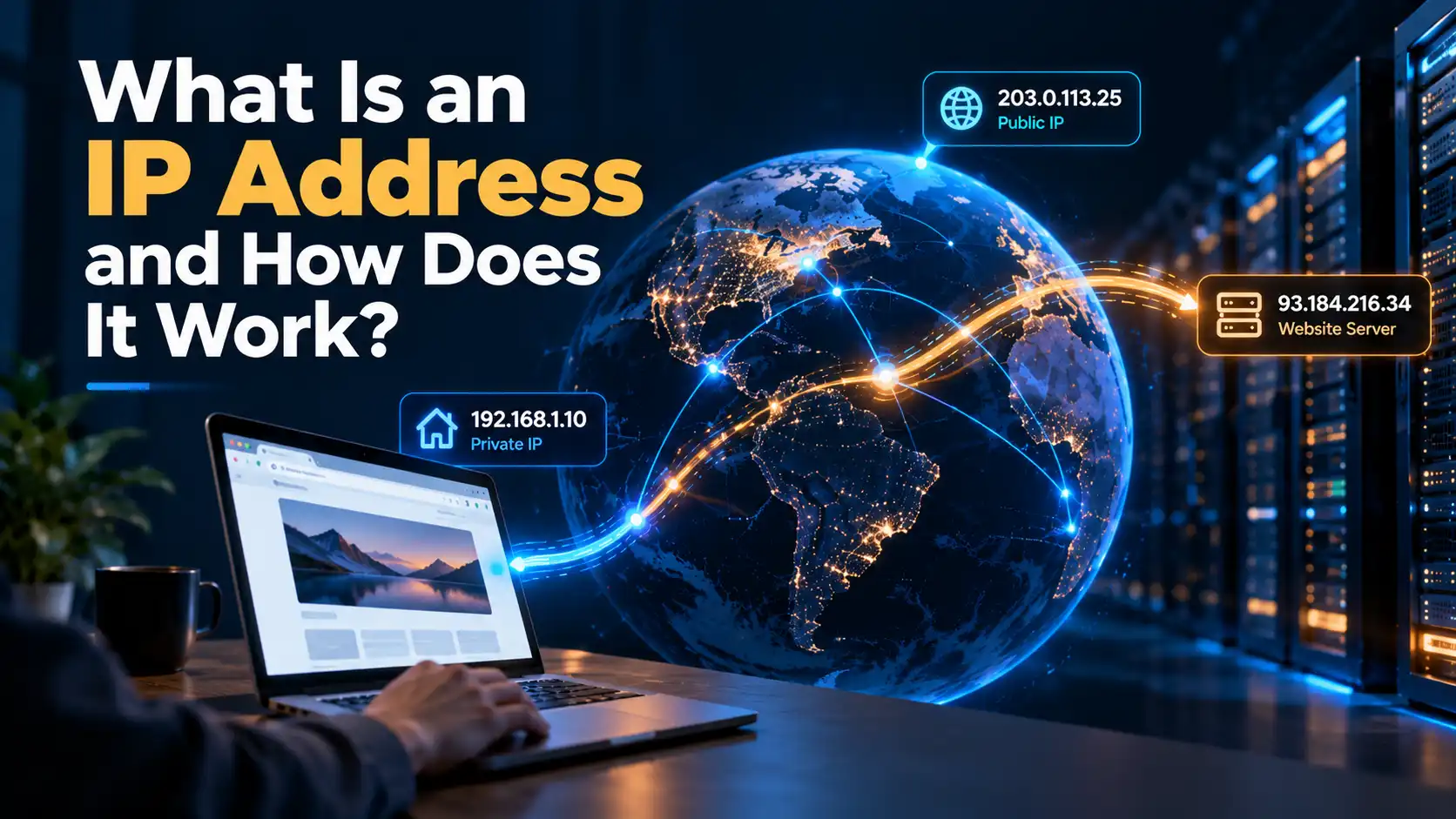
Every connected device on the public internet requires an active numerical identifier to send and receive data. To explore how routers assign and route these numerical labels, review our foundational guide on what an IP address is and how it works.
A Shared IP operates like a public bus. When you connect to a standard VPN server location, your encrypted traffic merges into a shared pool alongside dozens or hundreds of other simultaneous users. All outbound traffic exiting that server shares the exact same public IP address. Destination websites cannot determine which specific packet belongs to which user.
A Dedicated IP operates like a private vehicle. The VPN provider reserves a specific, static IP address exclusively for your personal subscription. While your true residential internet location remains completely hidden from external observers, you connect through that exact same verified address every time you launch your tunnel.
Privacy and Anonymity: The Power of Crowds
If your primary motivation for using a VPN is concealing your personal digital footprint, shared IP infrastructure delivers a distinct privacy advantage:
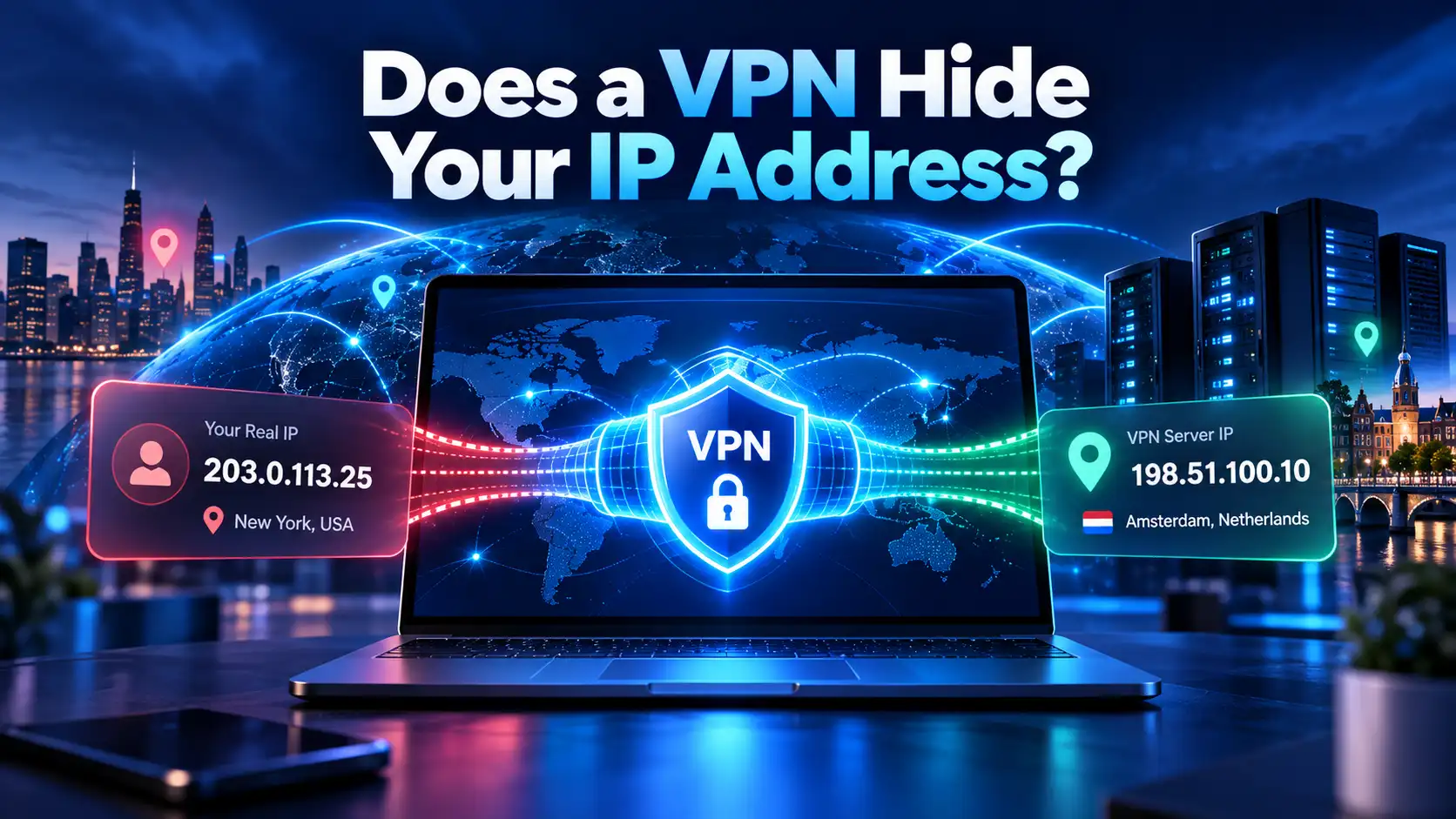
When hundreds of people simultaneously browse, stream, and download through a single shared server address, their digital footprints become inseparable. Even if a sophisticated third party attempts to correlate packet timing or inspect incoming traffic, separating individual activity from the surrounding crowd is practically impossible. As we examine in our technical analysis of whether a VPN hides your IP address, shared dynamic routing represents the gold standard for anonymous web browsing and torrenting privacy.
Conversely, a dedicated IP provides less crowd-based obfuscation. While your physical ISP identity and real-world geolocation remain masked behind military-grade encryption, your web traffic consistently originates from a single static address. If you authenticate into persistent accounts, advertising syndicates can theoretically compile a unified behavioral profile tied to that static IP over time.
The "Bad Neighbor Effect" and CAPTCHA Fatigue
The primary weakness of shared IP infrastructure is what cybersecurity engineers term the "Bad Neighbor Effect":
Because you share an IP address with strangers, you share their digital reputation. If another user on your shared server engages in abusive behavior—such as web scraping, automated credential stuffing, or mass forum spamming—security systems like Cloudflare and Akamai automatically blacklist that IP address.
When you attempt to visit a website through that blacklisted shared node, you suffer the consequences:
Search engines bombard your browser with repetitive, infuriating CAPTCHA puzzles ("select all traffic lights").
E-commerce portals block your checkout transactions as suspected fraudulent traffic.
Online services restrict your access or demand redundant two-factor authentication codes.
A dedicated IP completely eliminates the bad neighbor effect. Because you are the sole operator of that IP address, its digital reputation score remains pristine. You browse cleanly across Google, major retailers, and secure web portals without encountering endless verification barriers.
Online Banking and Remote Work: Why Shared IPs Fail

Online banking platforms and enterprise corporate portals maintain aggressive fraud-prevention algorithms:
When you access an online banking account through a shared VPN server, security firewalls detect that dozens of different individuals across multiple devices are accessing unrelated accounts from that exact same IP address. Worse, your IP address changes drastically every time you reconnect.
Financial fraud engines flag this rotating behavior as indicative of stolen session tokens or botnet intrusions. As detailed in our educational guide on why banks block VPNs, banks frequently respond by freezing account access or demanding invasive verification phone calls.
A dedicated IP provides the predictable, trustworthy consistency banks expect:
Your login requests always arrive from the exact same verified IP location.
Security algorithms recognize your connection as an authorized personal session.
Financial dashboards process your transfers smoothly without triggering anti-fraud alarms.
For remote employees and corporate teams, a dedicated IP is equally essential. System administrators can configure internal enterprise firewalls, development databases, and cloud dashboards to whitelist your specific dedicated IP. You gain encrypted access to internal corporate systems while keeping unauthorized third parties locked out.
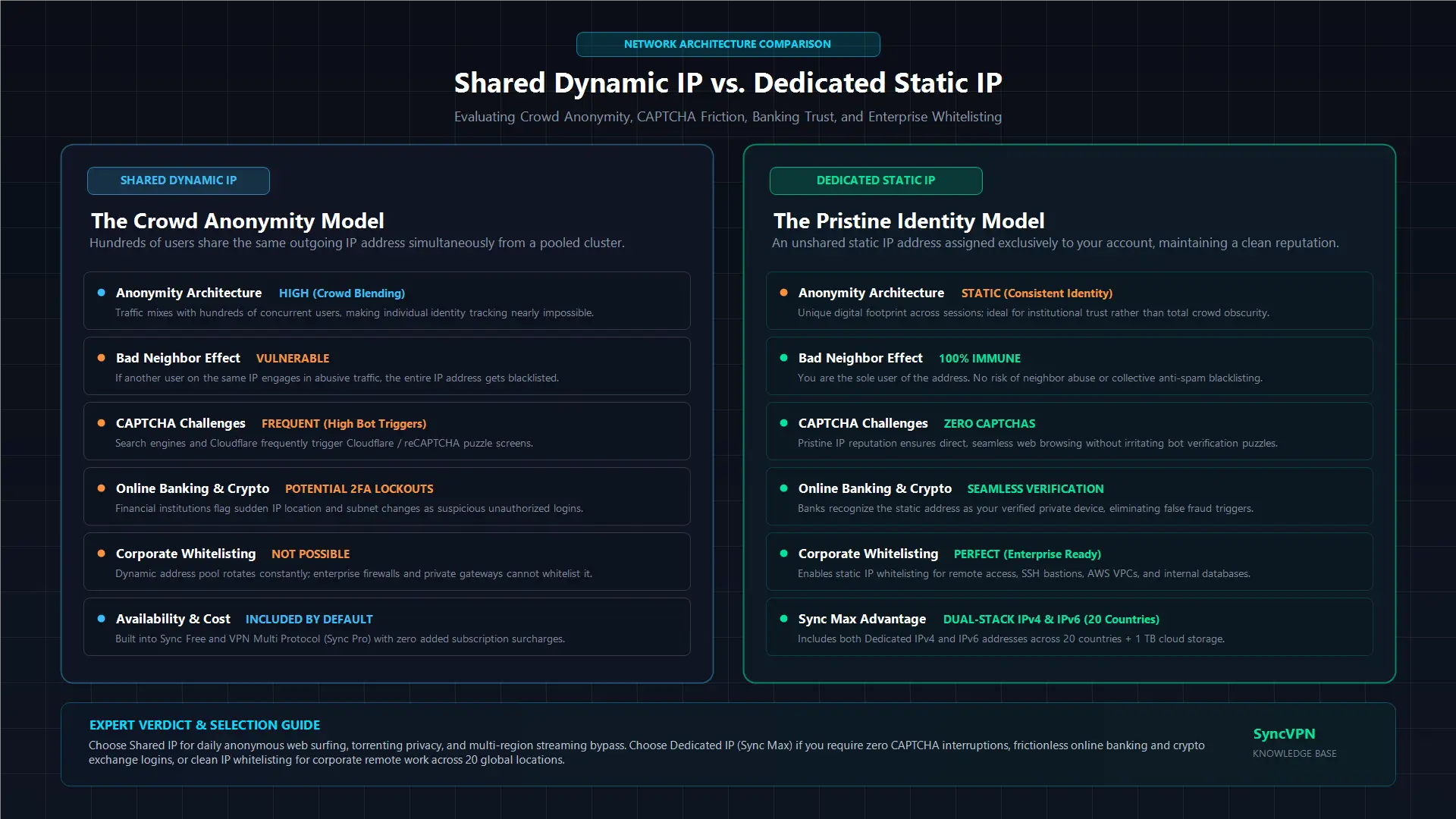
Direct Comparison: Shared IP vs. Dedicated IP
Review how each IP configuration performs across essential usability and security criteria:
Feature / Scenario | Shared Dynamic IP | Dedicated Static IP |
|---|---|---|
User Allocation | Shared among hundreds of users simultaneously | Exclusive to your account alone |
Crowd Anonymity | Maximum (Blends activity into the crowd) | Moderate (Encrypted, but fixed footprint) |
CAPTCHA Frequency | Frequent due to bad neighbor activity | Virtually eliminated |
Online Banking Access | Prone to security freezes and blocks | Smooth, recognized, and seamless |
Remote Work Whitelisting | Impossible (IP shifts constantly) | Ideal for firewall and database allowlisting |
Streaming Compatibility | Susceptible to shared blacklist bans | Highly reliable against geo-blocking |
Cost Profile | Included in standard plans | Premium tier or specialized upgrade |
Why Sync Max Is the Ultimate Dedicated IP Solution
Most commercial VPN providers treat dedicated IPs as an afterthought, charging expensive recurring add-on fees while delivering outdated, IPv4-only configurations. SyncVPN engineered a comprehensive solution with the Sync Max plan:
1. Native Dual-Stack Dedicated IP (IPv4 and IPv6)
While competitors restrict users to legacy IPv4 dedicated addresses, Sync Max delivers native Dedicated IPv4 and Dedicated IPv6 configurations simultaneously across 20 worldwide countries. You enjoy pristine IP reputation across modern internet infrastructure without risking protocol leaks.
2. Up to 20 Simultaneous Device Connections
Traditional dedicated IP add-ons restrict access to a single device. Sync Max covers up to 20 devices under a single subscription, enabling you to assign your clean dedicated IP across your desktop workstation, mobile smartphone, laptop, and home router simultaneously.
3. Integrated 1 TB Cloud Storage
Sync Max bundles enterprise-grade 1 TB cloud storage with granular file access permissions alongside your dedicated IP, providing remote professionals with an end-to-end encrypted privacy ecosystem.
4. Seamless Private Gateways for Businesses
For organizations managing remote workforces, our specialized SyncVPN Business platform expands dedicated infrastructure into custom Private Gateways, centralized employee workspaces, and automated company DNS policies.
You can verify your current assigned IP address and check for potential network leaks anytime using the SyncVPN IP Verification Tool.
Upgrade to Sync Max and Secure Your Dedicated IP Today
Decision Checklist: Which One Should You Choose?
Choose a Shared IP if you:
Prioritize maximum personal anonymity over connection consistency.
Use a VPN primarily for torrenting, public Wi-Fi encryption, and casual web browsing.
Do not mind solving occasional CAPTCHA puzzles on search engines.
Prefer standard subscription pricing (included in Sync Free and Sync Pro).
Choose a Dedicated IP if you:
Are exhausted by constant Google and Cloudflare CAPTCHA verification challenges.
Frequently manage online banking portals, PayPal, crypto exchanges, or e-commerce storefronts.
Work remotely and need a fixed, secure IP address to whitelist into corporate servers.
Require clean, unblocked streaming access across foreign media catalogs.
Need the comprehensive power of the Sync Max dedicated dual-stack tier.
Frequently Asked Questions (FAQ)
Can you be tracked if you use a dedicated IP?
Your physical ISP identity and real-world home address remain completely hidden behind military-grade encryption. However, because the dedicated IP belongs exclusively to your account, destination platforms can correlate your browsing sessions to that specific IP over time.
Does a dedicated IP increase your internet speed?
A dedicated IP does not change the physical speed of your broadband line. However, because you are not competing with other users on a shared server node, your connection experiences lower server load, zero bandwidth crowding, and faster web page rendering without CAPTCHA delays.
Can I switch between a dedicated IP and shared IPs?
Yes. With Sync Max, you have complete flexibility. You can connect to your private dedicated IP for banking and remote work, or switch to standard shared server locations across more than 100 worldwide destinations whenever you want maximum crowd anonymity.
Summary and Key Takeaways
Shared IPs pool traffic among hundreds of users, delivering maximum anonymity but exposing you to the "bad neighbor effect" and frequent CAPTCHAs.
Dedicated IPs provide an exclusive, static address that eliminates CAPTCHAs, prevents banking lockouts, and enables remote work firewall whitelisting.
The Sync Max plan delivers the industry's most robust dedicated solution, providing Dedicated IPv4 and IPv6 in 20 countries, 1 TB cloud storage, and coverage for up to 20 simultaneous devices.