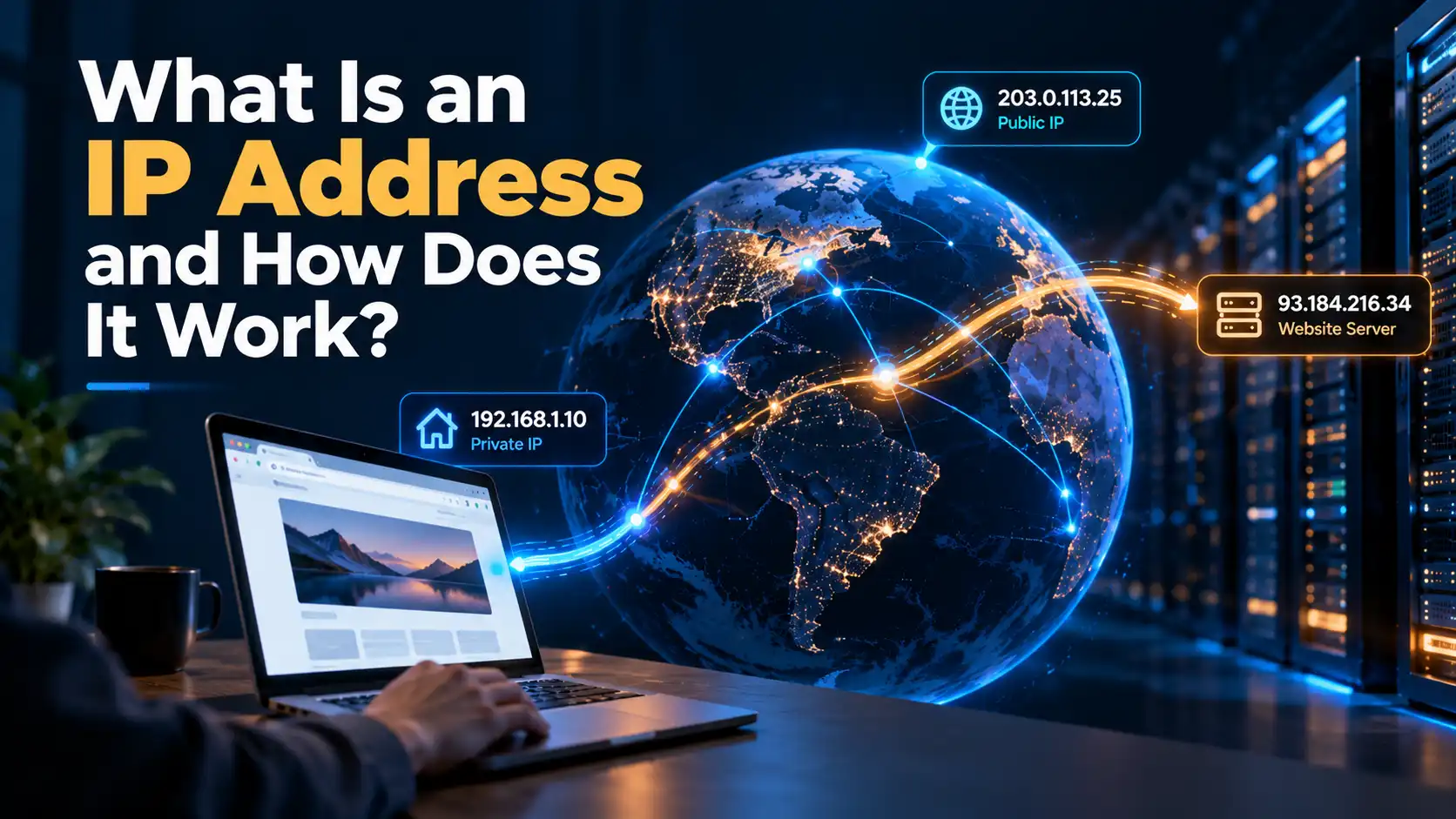
Every time you open a website, stream a video, or send a message, your device relies on an addressing system to get data to the right place. One of its most important components is an IP address.
An IP address (Internet Protocol address) is a numerical identifier assigned to a network interface so devices can send and receive data across IP networks. It helps networks determine where packets should go and where replies should be returned.
An IP address is not necessarily permanent or unique to you as a person.
How Does an IP Address Work?
Like a delivery address, an IP address helps data reach its destination.
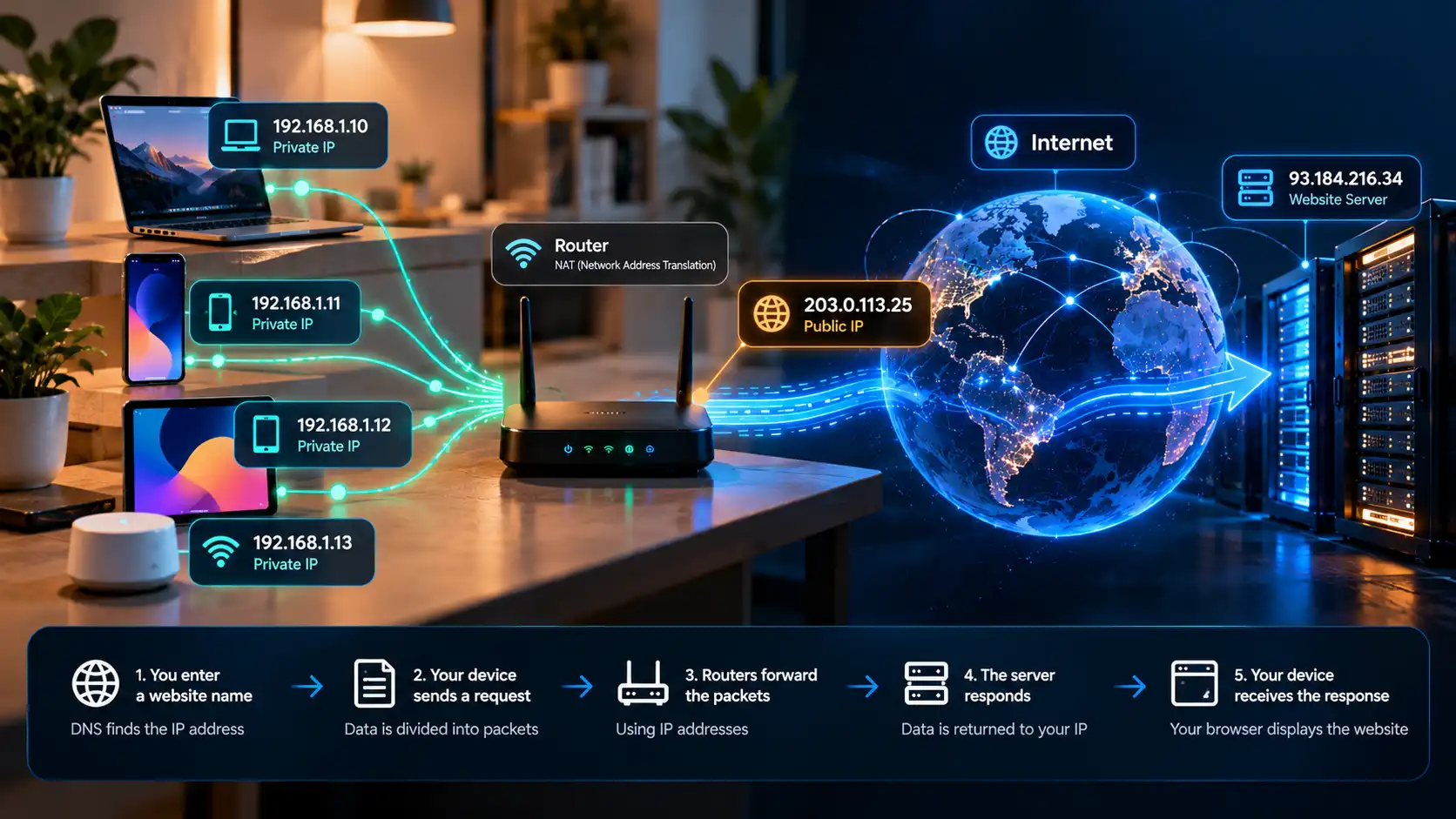
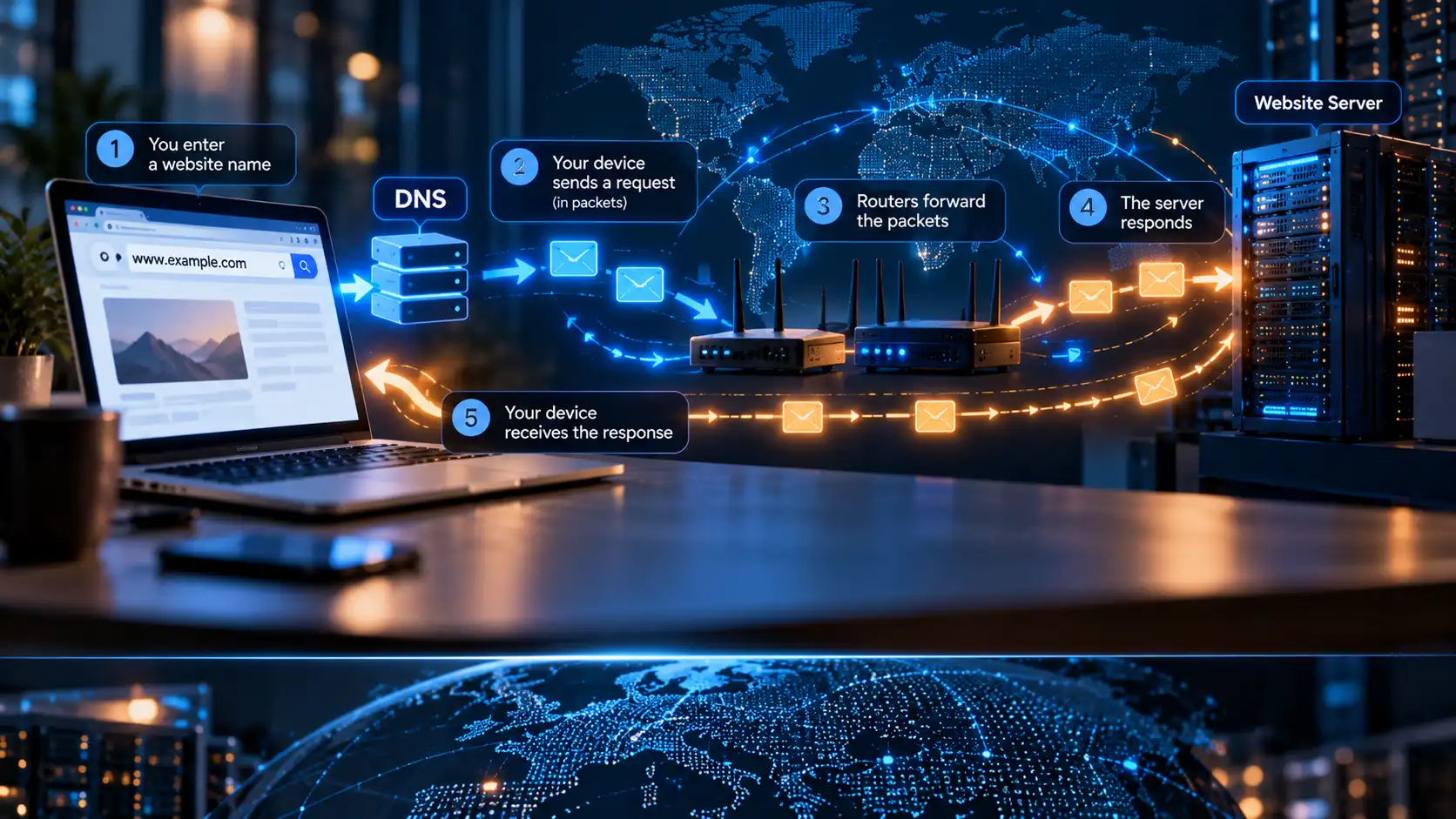
When you visit a website, a simplified sequence looks like this:
You enter a website name. Your browser uses the Domain Name System (DNS) to find an IP address associated with that domain, unless the answer is already cached.
Your device sends a request. The information is divided into packets, which carry source and destination IP addresses in their headers.
Routers forward the packets. Networks use the destination address and their routing information to move packets toward the website's server.
The server responds. Return traffic is addressed back toward the network connection that made the request, potentially passing through routers or address-translation systems along the way.
Your device receives the response. Your browser assembles the information and displays the website.
IP addressing routes packets; it does not encrypt their contents.
IPv4 vs. IPv6: What's the Difference?
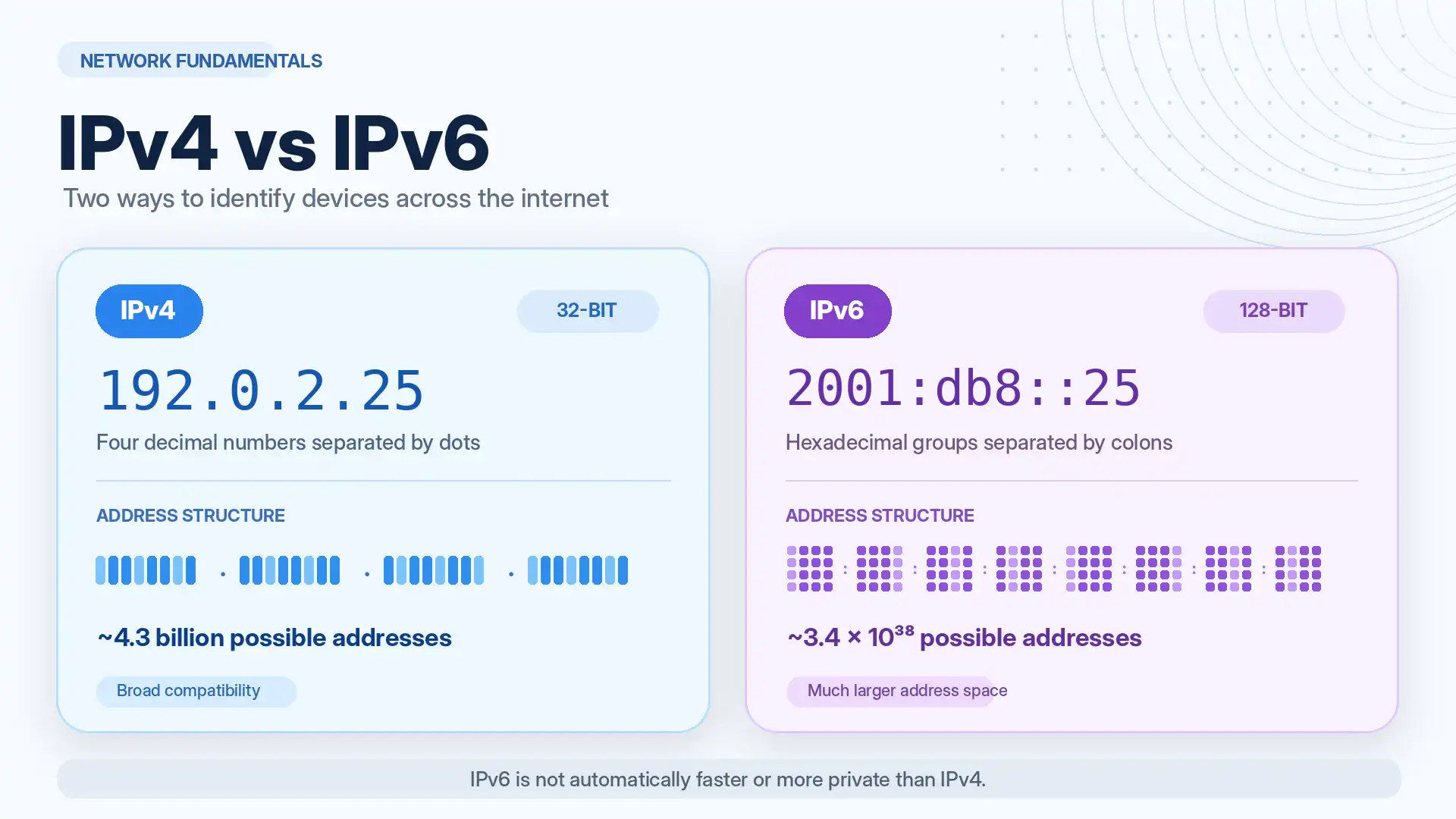
Two versions of Internet Protocol are widely used: IPv4 and IPv6.
Feature | IPv4 | IPv6 |
|---|---|---|
Address length | 32 bits | 128 bits |
Example | 192.0.2.25 | 2001:db8::25 |
Written format | Four decimal numbers separated by dots | Hexadecimal groups separated by colons |
Address capacity | About 4.3 billion possible addresses | Approximately 3.4 × 10^38 possible addresses |
Main advantage | Broad compatibility | Vastly larger address space |
These examples use ranges reserved for documentation, not actual server addresses.
IPv4 address scarcity has encouraged address sharing; IPv6 greatly expands capacity.
IPv6 is not automatically faster or more private. Many networks use both versions.
Public vs. Private IP Addresses
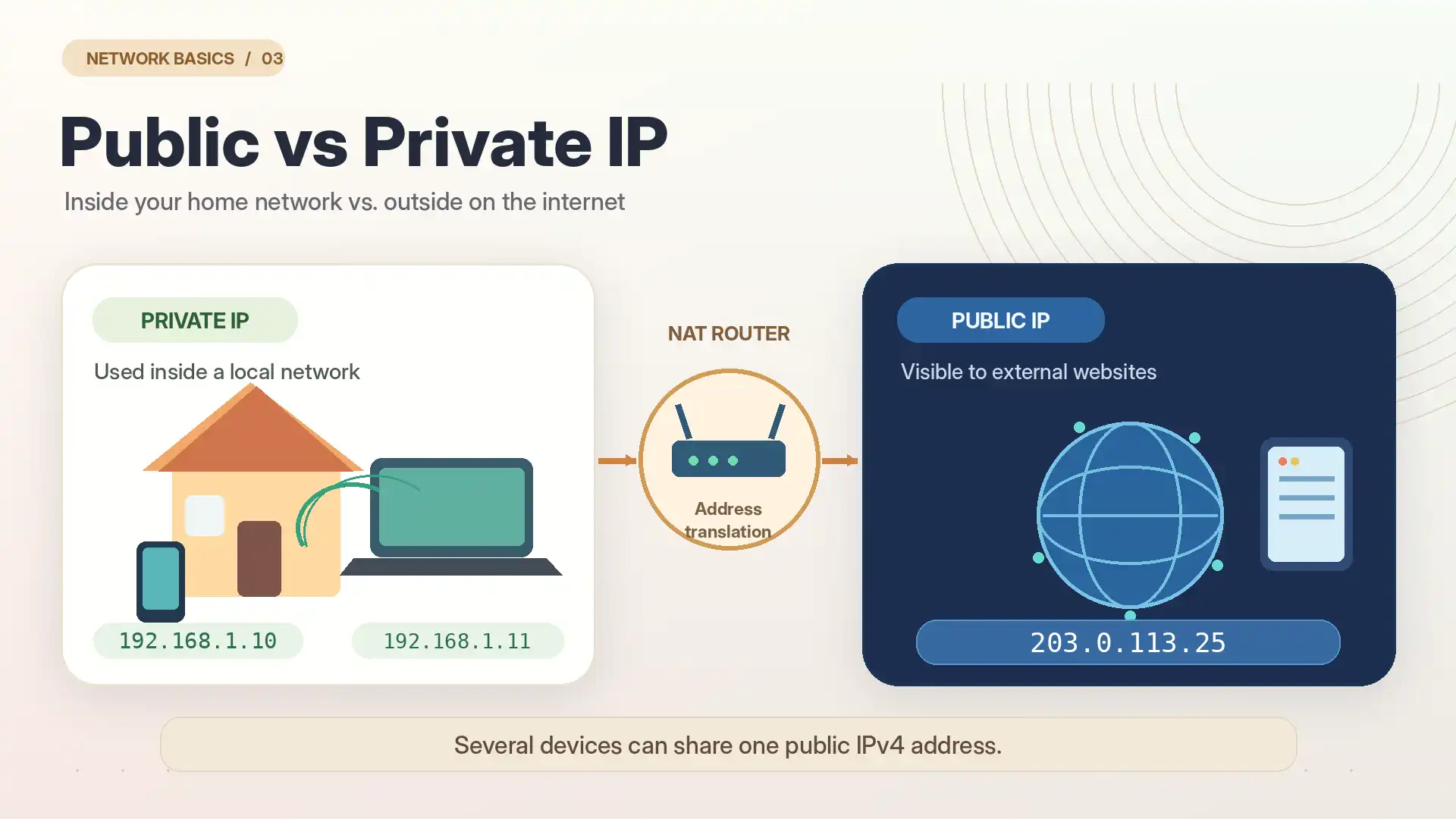
The words public and private describe where an address is used, not whether its traffic is encrypted.
Public IP Address
A public IP address is used on the internet. Your ISP generally assigns an internet-facing address, although some providers use shared carrier-grade NAT.
Several devices may share one public IPv4 address.
Private IP Address
A private IPv4 address is used inside a local network, such as your home or office. For example, a laptop might have 192.168.1.10, while a phone uses 192.168.1.11.
Common private IPv4 ranges include:
10.0.0.0to10.255.255.255172.16.0.0to172.31.255.255192.168.0.0to192.168.255.255
Private addresses can be reused on separate networks.
How Does a Router Connect Them?
On many home IPv4 networks, the router assigns private addresses and uses Network Address Translation (NAT) to translate outbound connections so several devices can share one public address.
The router directs replies to the correct device. IPv6 devices may have globally routable addresses, with firewalls controlling incoming access.
Static vs. Dynamic IP Addresses
A dynamic IP address can change through automatic reassignment, although it may remain the same for a long time.
A static IP address is intended to remain consistent. Businesses sometimes use static addresses for services or for systems that restrict access to specific IPs.
Type | Main characteristic | Typical consideration |
|---|---|---|
Dynamic IP | May change over time | Convenient for ordinary consumer connections |
Static IP | Intended to stay consistent | Useful when services need a predictable address |
Static does not mean private, and dynamic does not mean public. These describe different properties.
Who Assigns Your IP Address?
Public internet address space is coordinated through organizations such as the Internet Assigned Numbers Authority (IANA) and regional internet registries. ISPs receive or obtain address resources through this system and assign addresses to customers.
At home, routers often assign local IPv4 addresses using DHCP.
A device can have multiple addresses, which may change when you switch networks.
What Can Someone Learn From Your IP Address?
An IP address can provide clues, but it is not a complete digital identity.
Depending on the address and available databases, a website or network operator might estimate:
Your ISP or the organization responsible for the address range.
An approximate country, region, or city associated with the connection.
Whether the connection appears to come from a hosting network, residential provider, or VPN service.
Patterns linking visits from the same address, particularly when combined with cookies or account activity.
An IP address alone does not normally reveal your exact street address or name. Geolocation estimates can be wrong.
Combined with logins, cookies, or other data, an IP address can support tracking.
How to Find Your IP Address
It helps to distinguish the public address visible to an outside website from the local address assigned to your device.
Find Your Public IP
Open a reputable IP-checking website in your browser. It can show the public address visible to that particular connection and may also display an approximate location or network provider.
If you use a VPN, run the check before and after connecting. Keep in mind that results may differ between IPv4 and IPv6.
Find Your Private IP
Windows: Open Command Prompt and run
ipconfig, then look for the active adapter's IPv4 or IPv6 address.macOS: Open System Settings, choose Network, and inspect the details of your active connection.
iPhone: Open Settings, select Wi-Fi, and tap the information icon beside your connected network.
Android: Open your connected Wi-Fi network's details in Settings. Menu names vary by manufacturer.
A local address such as 192.168.1.10 is not usually the address that internet websites see.
Can Someone Hack You With an IP Address?
Simply knowing an IP address does not give someone access to your accounts or device. An attacker would generally need another weakness, such as an exposed vulnerable service, poor configuration, or stolen credentials.
Exposed systems may still be targeted. Keep software updated, enable firewalls, and avoid unnecessary port forwarding.
A VPN can mask your ordinary public IP from services reached through its tunnel, but it is not a replacement for basic device security.
How Does a VPN Hide or Change Your IP Address?
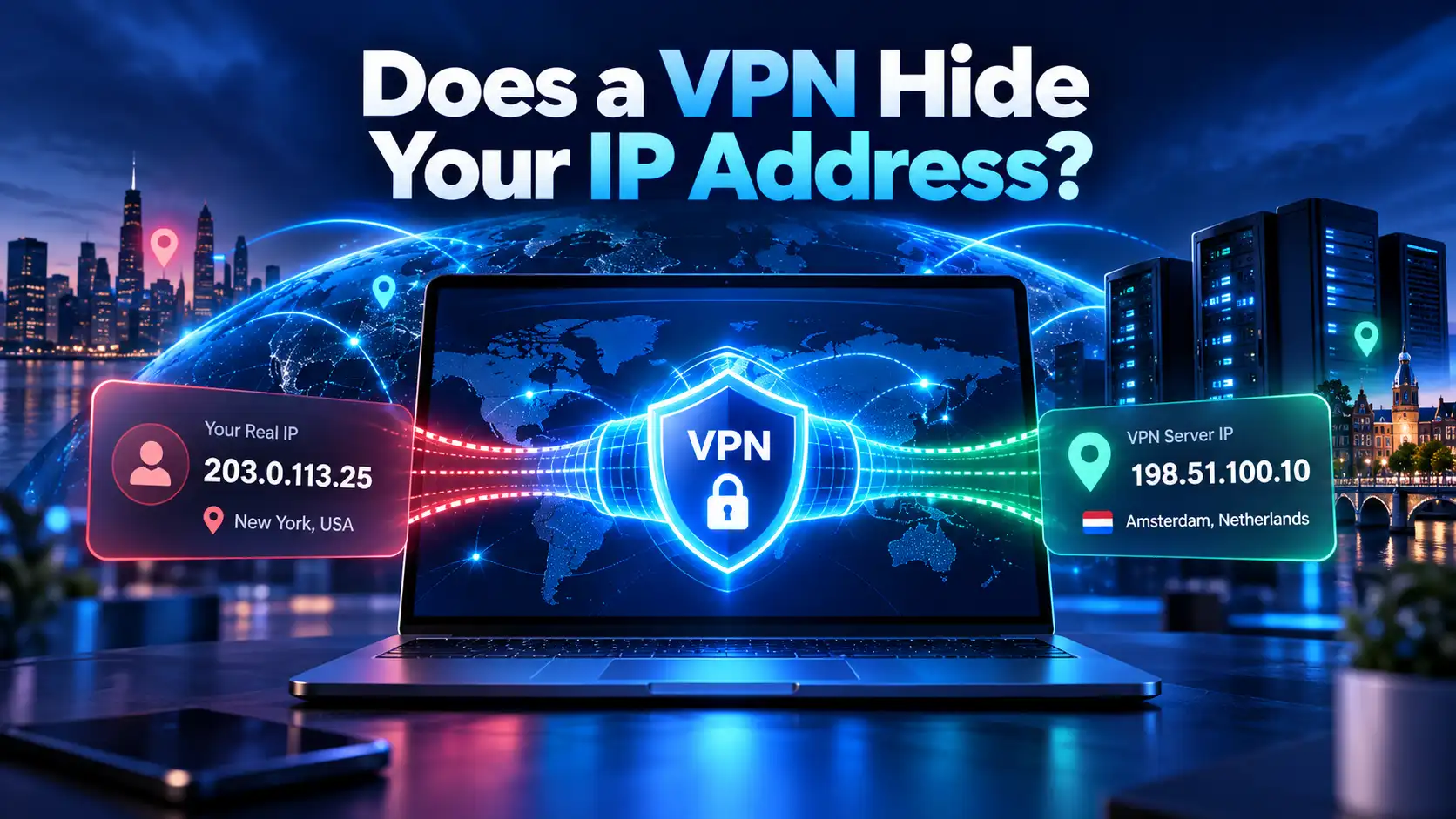
Normally, a website sees the public address from which your connection reaches it. When you connect to a VPN, traffic routed through the encrypted tunnel travels to a VPN server first. That server forwards the request, so the website generally sees the VPN server's public IP address instead of your usual one.
Your ISP-assigned address remains in use, and excluded applications or leaks may expose another route.
With SyncVPN, you can connect to an available VPN server and compare your visible public IP before and after connecting. This is a useful first check, but a changed IP alone cannot prove complete anonymity or the absence of DNS or IPv6 leaks.
For a closer look at what changes, see the companion guide Does a VPN Hide Your IP Address?
IP Address vs. DNS vs. MAC Address
These three concepts are related but serve different jobs.
IP address: Helps route packets across IP networks.
DNS: Maps names such as
example.comto IP addresses used to reach services.MAC address: Identifies a network interface on a local-link technology such as Ethernet or Wi-Fi; it is not normally used as the destination identifier for routing traffic across the wider internet.
Changing DNS is not the same as changing your public IP.
Frequently Asked Questions
Is My IP Address Always the Same?
No. Many consumer addresses are dynamic. Your address may change when your ISP reassigns it or you switch networks, although it can remain unchanged for long periods.
Can Two Devices Have the Same IP Address?
Two devices can share one public IPv4 address through NAT while having different private addresses. Private addresses can also be reused on separate networks. Conflicting addresses on the same local network can cause problems.
Does Incognito Mode Hide My IP Address?
No. Private or incognito browsing mainly changes how your browser stores certain local history and session data. Websites can still see the connecting public IP address.
Does Restarting My Router Change My IP Address?
Sometimes, but there is no guarantee. It depends on your ISP's assignment policies, connection type, and whether you have a static address.
Can an IP Address Reveal My Exact Location?
Usually not on its own. IP geolocation generally estimates a broad area and may be inaccurate. Apps with permission to use device location can obtain more precise information through other methods.
Is an IP Address Personal Information?
It can be treated as personal data in some legal contexts, especially when combined with information that makes a person identifiable. The details depend on applicable law and circumstances.
Final Thoughts
An IP address is a fundamental part of internet communication. It enables networks to route information between devices and services, whether you're browsing at home, using mobile data, or connecting through a VPN.
The important distinctions are IPv4 versus IPv6, public versus private, and static versus dynamic. Understanding them helps you diagnose connection issues, interpret IP-checking tools, and make realistic decisions about online privacy.
A VPN can hide your regular public IP from tunneled destinations, but it cannot make you untraceable.