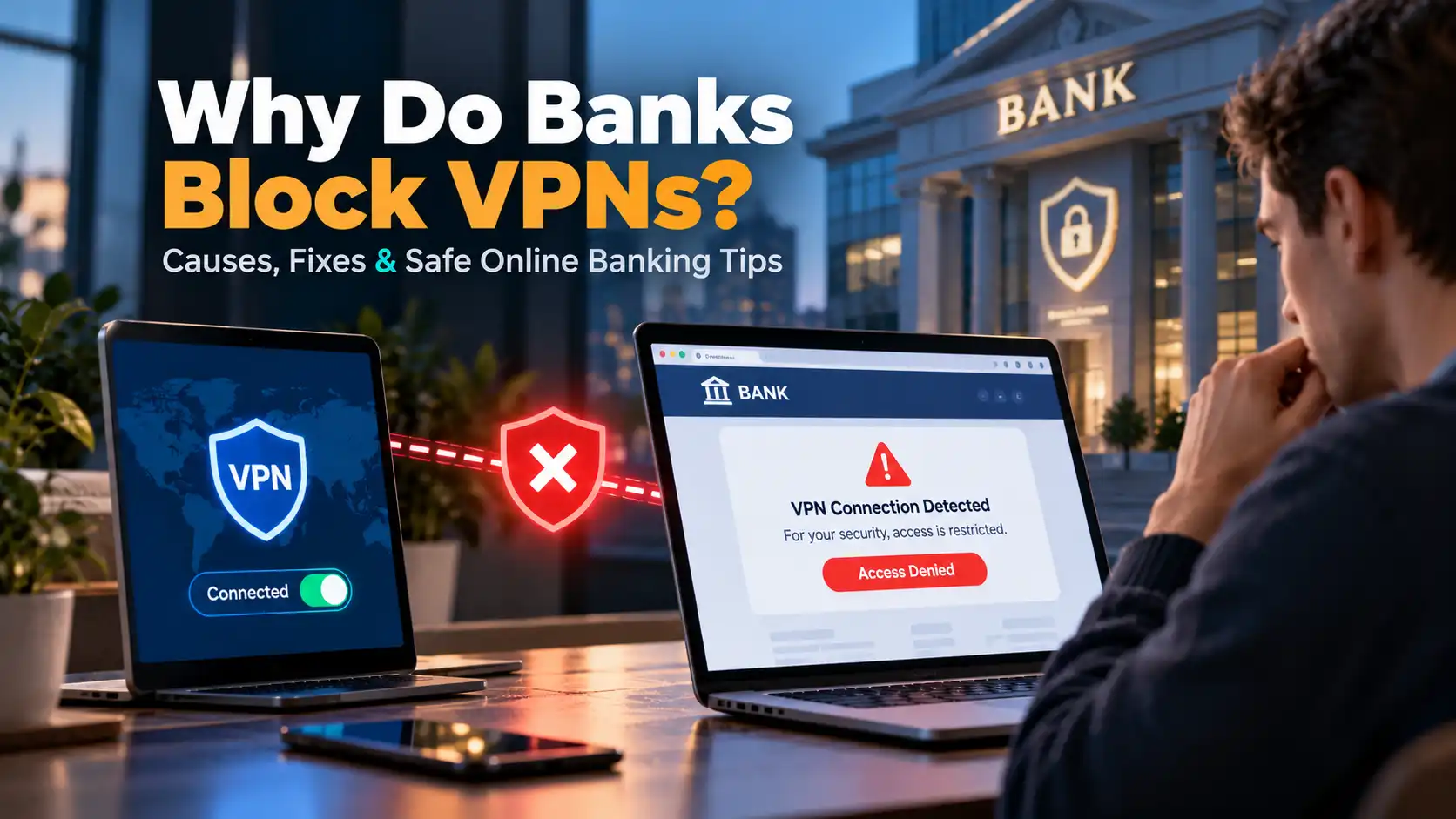
You're trying to log in to your bank account, but instead of seeing your balance, you receive an unexpected security warning. Your banking app refuses to connect, your transaction fails, or you're asked to verify your identity again.
The problem might be your VPN.
Banks sometimes block VPN connections because they can make legitimate login attempts look suspicious to automated fraud detection systems. A VPN changes your visible IP address and may make your connection appear to originate from a different country or a shared network.
But does that mean using a VPN for online banking is unsafe?
Not necessarily.
A VPN can provide an additional layer of network privacy, while a bank may restrict certain VPN connections to protect customers against fraud.
In this guide, we'll explain why banks block VPNs, how to resolve common banking VPN issues, and how to protect your financial information without compromising your online security.
Why Do Banks Block VPN Connections?
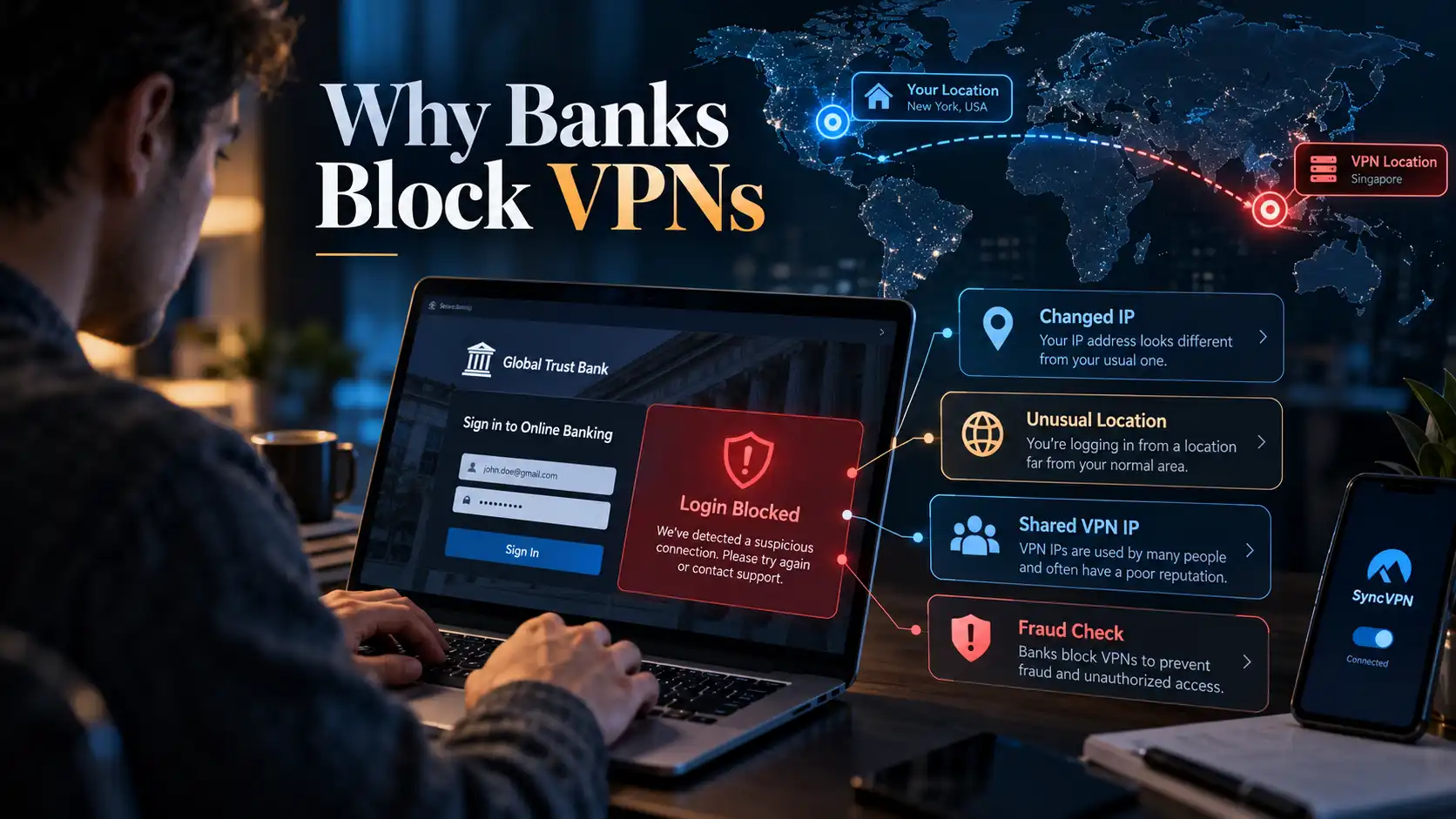
Banks rely on multiple security signals to identify suspicious account activity. These may include your IP address, approximate location, device information, login history, and transaction patterns.
When a VPN changes some of these signals, a bank's security system may treat the connection as unusual.
Here are the most common reasons.
1. VPNs Hide Your Real IP Address
Every internet connection uses a public IP address that websites and online services can see.
When you connect to a VPN, your traffic is routed through a VPN server, and websites generally see the server's public IP address instead of your normal one.
For everyday browsing, this can improve your network privacy.
For online banking, however, an unexpected IP address may trigger security checks.
For example, imagine that you normally access your bank account from Germany. One day, you connect to a VPN server in another country and immediately attempt to transfer money.
The bank may detect the change and request additional verification.
This doesn't automatically mean your account has been compromised. It simply means that your connection may no longer match your usual login pattern.
2. Banks Monitor Unusual Login Locations
Location changes are another reason a bank may flag VPN activity.
Suppose you log in from France in the morning and then connect through a VPN server in Singapore a few minutes later.
To an automated security system, those logins may appear geographically inconsistent.
Banks may interpret these patterns as potential indicators of unauthorized access.
This is especially important for institutions that combine location information with other risk indicators.
For example, N26 explains that logging in from an unusual location or a new device can lead to additional account security checks.
Important: A bank usually cannot determine your precise physical location from your IP address alone. IP-based locations are approximate, and banks may consider additional information before restricting access.
3. Shared VPN IP Addresses May Trigger Fraud Alerts
Many VPN services use shared IP addresses.
This means multiple customers can connect through the same VPN server and appear to websites under the same public IP address.
Shared IP addresses can be useful for privacy because they make individual users harder to distinguish based on IP address alone.
However, they can also create problems with financial services.
If an IP address has been associated with suspicious activity, a bank may treat future connections from that address more cautiously.
Even a legitimate customer may encounter extra verification or a temporary login restriction.
Banks can also use IP reputation databases and network information to identify addresses associated with hosting providers, proxies, or VPN infrastructure.
This is one reason a connection may work normally without a VPN but fail when the VPN is enabled.
4. Banks Must Follow Security and Regulatory Requirements
Financial institutions operate under strict security requirements and financial regulations.
Depending on the country and the institution, these obligations may involve identity verification, fraud prevention, anti-money laundering controls, and restrictions on transactions from certain jurisdictions.
Some banks and financial platforms may restrict access from specific locations or anonymizing networks.
A documented example involves Wise. In a case reviewed by the UK's Financial Ombudsman Service, Wise explained that its security systems could limit transactions when VPN connections appeared to originate from locations where its services were restricted.
However, there is no universal rule requiring every bank to block VPNs. Each institution has its own security policies and technical controls.
5. Some Banking Apps Restrict VPN Connections
Not every banking restriction comes from IP reputation or geographic checks.
Some financial applications use device security controls or network configurations that may not work correctly with certain VPN setups.
These can result in login failures, connection errors, or messages asking users to disable their VPN.
For example, ADAC Kreditkarten's official support documentation states that its online banking service currently rejects logins through private VPN services.
Other banks have different policies.
BoursoBank, for instance, states that customers can connect through a VPN, although certain sensitive operations may be restricted.
The important takeaway is that VPN compatibility depends on your bank and its security rules.
Can You Use a VPN for Online Banking?
Yes, in many cases.
Using a VPN is not automatically incompatible with online banking. Whether it works depends on the financial institution, your VPN configuration, and the location from which you're accessing the service.
A VPN and a banking website protect different parts of your connection.
Security feature | What it does |
|---|---|
HTTPS encryption | Protects data exchanged between your browser and the banking website |
VPN encryption | Protects traffic between your device and the VPN server |
IP masking | Replaces your visible public IP address with the VPN server's IP |
Multi-factor authentication | Adds another verification step to account access |
Bank fraud detection | Identifies potentially suspicious account and transaction activity |
These protections can complement one another, but they serve different purposes.
For example, modern banking websites use HTTPS to encrypt your connection. A VPN does not replace that encryption, nor does it automatically make a compromised banking website trustworthy.
A VPN can add network privacy by protecting traffic between your device and its VPN server, particularly on networks you don't fully trust.
However, your bank can still identify you through your authenticated account and monitor your transactions.
A VPN is a privacy tool, not a guarantee against banking fraud.
What to Do If Your Bank Blocks Your VPN
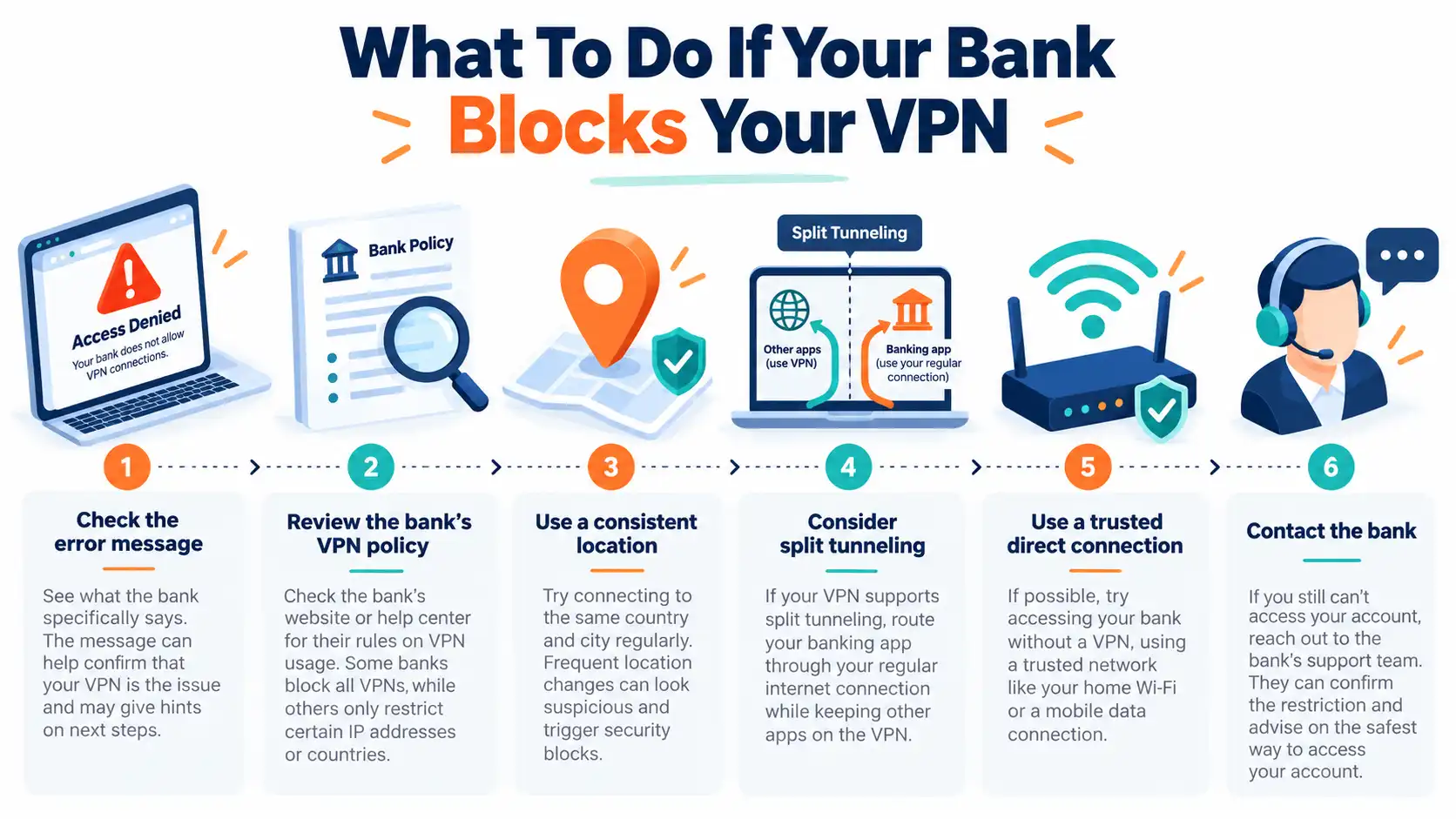
If your banking app stops working while your VPN is enabled, don't immediately assume that your bank account is locked or compromised.
Start by determining whether the issue is related to your network connection, VPN configuration, or the bank's security policies.
Step 1: Check the Error Message
Read the warning displayed by your banking website or app.
Different messages can indicate different problems:
Access denied: Your connection may have been restricted by a security system.
Unusual activity detected: Additional identity verification may be required.
Connection failed: The issue may involve network connectivity rather than the bank's fraud controls.
VPN or proxy detected: The service may explicitly restrict VPN connections.
If the message asks you to verify your identity, follow the instructions within your bank's official app or website.
Avoid repeatedly attempting to log in if the bank has placed a security restriction on your account.
Step 2: Check Your Bank's VPN Policy
Before changing settings, check whether your bank allows VPN access.
Look for information in its official Help Center or contact customer support.
Some institutions accept VPN connections but require additional verification. Others block particular VPN services or private VPN connections altogether.
Following the bank's policy is safer than repeatedly changing IP addresses in an attempt to get around a security restriction.
Step 3: Use a Consistent Connection Location
If your bank permits VPN connections, keeping your apparent location consistent may reduce unexpected security challenges.
For example, if you normally bank from Germany, a VPN server in Germany may be less likely to create a sudden country-level location change than a server on another continent.
However, choosing a nearby server does not guarantee that the bank will accept your connection.
A bank may still recognize the IP address as belonging to VPN infrastructure.
Step 4: Consider Split Tunneling
Split tunneling is a VPN feature that allows selected applications or traffic to use your normal internet connection while other traffic remains routed through the VPN.
For example:
Your regular browsing traffic uses the encrypted VPN tunnel.
Your banking application connects directly through your normal internet connection.
This can be useful when a bank does not accept VPN traffic but you want to retain VPN protection for other compatible applications.
The feature's availability depends on your VPN software, operating system, and configuration.
When using split tunneling, remember that excluded banking traffic no longer receives protection from the VPN tunnel. Your banking application's own security measures and HTTPS remain important.
For a more detailed explanation, read our guide: What Is VPN Split Tunneling?.
Step 5: Use a Trusted Direct Connection When Required
If your bank explicitly requires you to disable your VPN, follow its instructions.
Whenever possible, switch to a trusted home network or your mobile carrier's cellular connection before accessing sensitive banking services.
If your account remains restricted after disconnecting the VPN, contact the bank through its official support channels.
Never use unexpected links in emails or text messages claiming to resolve banking security problems.
Step 6: Contact Your Bank If the Problem Continues
If you still can't access your account, the issue may not be caused by the VPN.
Other possibilities include device verification requirements, an outdated banking application, temporary service problems, or an actual account security restriction.
Your bank's support team can help determine the next appropriate step.
Does a Dedicated IP VPN Work Better for Banking?
A dedicated IP address is assigned for your use rather than being shared with multiple unrelated VPN customers.
This can offer a more consistent public IP address across sessions.
For some services, a stable IP may reduce the confusion caused by constantly changing addresses or sharing an address with many users.
However, a dedicated IP is not a universal solution to VPN banking restrictions.
Banks may still recognize dedicated IP addresses as belonging to VPN infrastructure. They may also restrict VPN connections regardless of whether the address is shared or dedicated.
A dedicated IP also makes your VPN sessions more consistently linkable by IP address, which can be a privacy trade-off.
Feature | Shared VPN IP | Dedicated VPN IP |
|---|---|---|
IP used by | Multiple VPN customers | Assigned to one customer |
IP consistency | May vary by server or session | Typically remains consistent |
Privacy trade-off | Greater blending among users sharing an IP | Activity may be easier to link by IP |
IP reputation | Can be affected by other users | Less exposure to unrelated users on the same IP |
Bank compatibility | Depends on bank policies | Also depends on bank policies |
If you frequently access services that prefer consistent IP addresses, a dedicated IP may be worth considering.
But always confirm that your bank permits VPN access before relying on one.
Is Online Banking Safer With or Without a VPN?
There isn't a single answer for every situation.
A trustworthy VPN can improve network privacy, but the security of your bank account depends on much more than your IP address.
Banking on Home Wi-Fi
When using a properly secured home network, your banking connection is already protected by the bank's HTTPS encryption.
A VPN can add another layer of network privacy by hiding your traffic from local network observers and changing the public IP address seen by websites.
However, this extra layer is not always necessary for secure banking and may cause compatibility issues with certain financial institutions.
Banking on Public Wi-Fi
Public Wi-Fi networks at airports, hotels, and cafés deserve additional attention.
Modern HTTPS websites generally encrypt sensitive information, so public Wi-Fi is not automatically unsafe. Still, untrusted networks can introduce risks such as malicious hotspots, deceptive login pages, and attempts to redirect users to fraudulent websites.
A VPN can help protect traffic on an untrusted network, but it cannot prevent every type of attack.
If possible, use a trusted cellular connection for sensitive financial transactions.
Learn more in our detailed article: Is Public Wi-Fi Safe? How to Protect Yourself.
Banking While Traveling Abroad
Travel can cause legitimate changes in your usual banking activity.
Your IP address, device network, and location may differ from your normal patterns.
Using a VPN may introduce another location signal that the bank considers unusual.
Before traveling, check whether your bank supports access from your destination and whether it imposes restrictions on VPN usage.
Make sure your authentication methods will remain available abroad, especially if your bank relies on a registered phone number or separate authentication app.
10 Essential Tips for Safer Online Banking
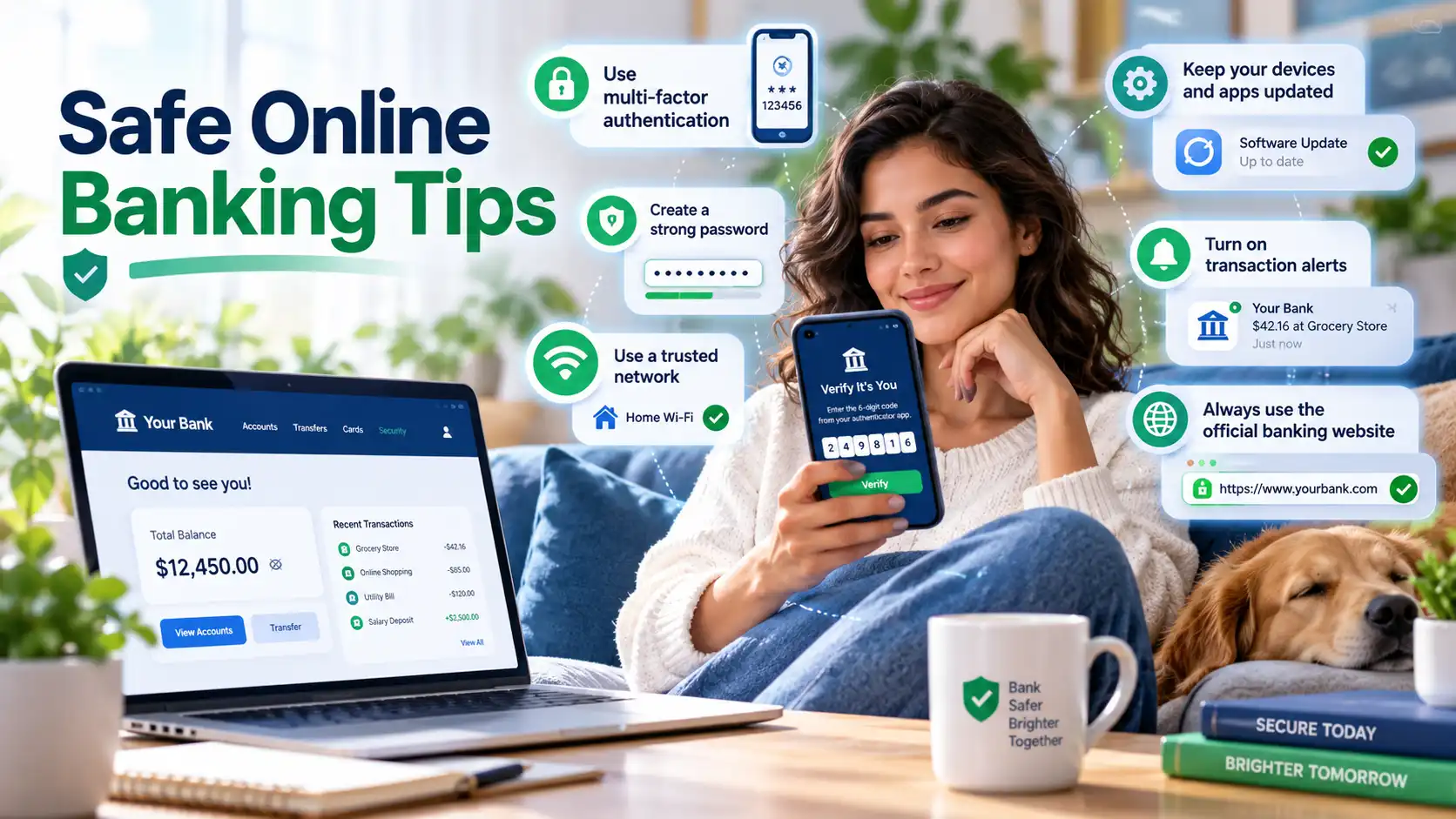
Whether you use a VPN or not, these practices can help protect your financial accounts.
1. Use Your Bank's Official App or Website
Download banking applications from verified app stores or your bank's official website.
Avoid entering financial information through unfamiliar links.
2. Enable Multi-Factor Authentication
Where available, use additional verification such as an authenticator, passkey, security key, or bank-approved authentication app.
This can make unauthorized access more difficult even if a password is compromised.
3. Create a Unique Banking Password
Never reuse your online banking password across other websites.
A reputable password manager can help generate and store unique passwords securely.
4. Keep Your Device Updated
Install security updates for your operating system, browser, and banking applications.
Updates can fix vulnerabilities that attackers might otherwise exploit.
5. Avoid Untrusted VPN Applications
Not all VPN services have the same privacy practices or security protections.
Be cautious with unfamiliar services, especially those requesting unnecessary permissions or making unrealistic security promises.
6. Verify the Banking Website
Make sure you're visiting the correct banking domain.
HTTPS protects the connection, but phishing websites can also use HTTPS. A padlock or encrypted connection alone does not prove that a website is legitimate.
7. Monitor Account Activity
Enable transaction alerts when available and review your account regularly.
Report unauthorized transactions or unfamiliar account activity immediately.
8. Be Careful With Public Networks
Avoid conducting sensitive transactions over networks you do not trust when a safer option is available.
A secure mobile connection is often more convenient for banking while traveling.
9. Never Share Verification Codes
Banks may use one-time codes or approval notifications to verify sensitive actions.
Never provide these codes to someone who contacts you unexpectedly, even if they claim to represent your bank.
10. Follow Your Bank's Security Requirements
Your bank's security policies take priority over general VPN troubleshooting advice.
If an institution requires additional verification or prohibits VPN connections, follow its official procedures.
How SyncVPN Can Help Protect Your Everyday Internet Privacy
Online banking is only one part of your digital life.
You may also use your devices for browsing, shopping, messaging, remote work, and connecting to public networks.
A VPN can help improve privacy across many of these everyday activities.
SyncVPN provides an encrypted VPN connection and supports established VPN protocols, including WireGuard and OpenVPN.
With SyncVPN, users can benefit from:
Encrypted VPN traffic: An additional layer of protection between your device and the VPN server.
IP address masking: Websites generally see the VPN server's IP address rather than your normal public IP.
Multiple device support: Privacy protection across supported devices.
Flexible VPN configurations: Options for managing VPN connections and protocols.
Dedicated IP options: For users who prefer a consistent assigned public IP address.
If your banking institution does not permit VPN connections, do not assume that changing VPN services will solve the problem.
Instead, use a bank-approved connection for financial transactions and keep your VPN available for other online activities.
Protect your everyday browsing privacy with SyncVPN, while following your bank's security requirements.
Frequently Asked Questions
Why does my bank block my VPN?
Banks may block VPN connections because they change your visible IP address, introduce unusual location signals, or use IP addresses associated with shared VPN infrastructure. These changes can trigger automated fraud prevention systems.
Some banks also explicitly prohibit private VPN connections.
Can my bank detect that I'm using a VPN?
Yes, banks can sometimes identify VPN connections by checking whether an IP address belongs to a known VPN service, hosting provider, or proxy network.
Detection is not always perfect, and different institutions use different security methods.
Is it illegal to use a VPN for online banking?
Using a VPN for online banking is not automatically illegal. However, laws vary by jurisdiction, and financial institutions may impose contractual or technical restrictions on VPN usage.
Check the applicable rules and your bank's terms of service.
Can a VPN cause my bank account to be locked?
A VPN connection can contribute to a security alert, additional verification requirement, or temporary access restriction.
It does not mean every VPN login will result in an account lock.
If your account has been restricted, contact the bank through its official support channels.
Will a dedicated IP prevent banking VPN blocks?
Not necessarily.
A dedicated IP can provide a more consistent address, but banks can still identify and restrict VPN infrastructure.
A dedicated IP does not guarantee compatibility with online banking platforms.
Should I turn off my VPN when using a banking app?
Follow your bank's instructions.
If your bank permits VPN usage, you may be able to keep it enabled. If it requires a direct connection, use a trusted network and temporarily disconnect the VPN or use an approved routing configuration.
Is a free VPN safe for online banking?
A free VPN is not automatically unsafe, and a paid VPN is not automatically trustworthy.
Evaluate the provider's reputation, privacy policy, technical security, and transparency before installing it.
Never enter banking credentials directly into a VPN application.
Does a VPN hide my transactions from my bank?
No.
Your bank can still associate account activity and transactions with your authenticated identity.
A VPN can change your visible IP address and protect traffic between your device and the VPN server, but it does not make banking transactions anonymous to your financial institution.
Final Thoughts: Privacy and Banking Security Should Work Together
Banks block some VPN connections because their security systems are designed to detect potentially suspicious activity.
An unfamiliar IP address, unexpected location, or network associated with anonymizing services may trigger additional verification or temporarily restrict access.
However, VPN usage does not automatically indicate fraud, and different banks have different rules.
The safest approach is to understand your bank's requirements, use trusted connections, and combine sensible privacy tools with strong account security practices.
A VPN can be valuable for everyday online privacy, but it should complement—not replace—secure banking habits.
Want more control over your online privacy?
Explore SyncVPN and discover privacy-focused VPN options for your supported devices.