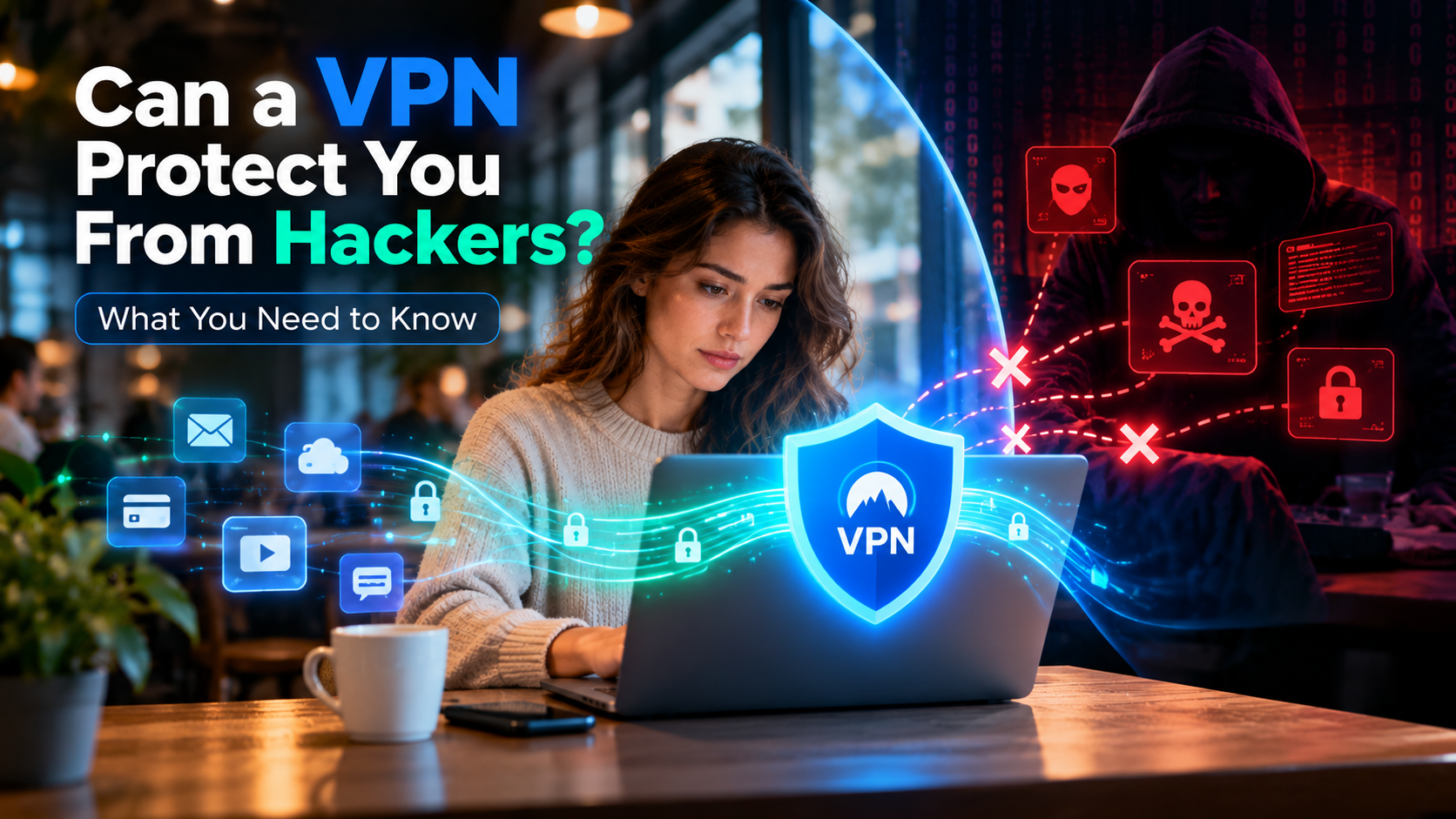
No, a reliable VPN prevents your Internet Service Provider, network administrators, and cybercriminals from tracking your physical location or browsing activity in real time. However, a VPN is a secure encrypted tunnel, not an invisibility cloak; you can still be tracked if you log into personal web accounts, accept invasive browser cookies, permit mobile GPS permissions, or fall victim to malware.
Virtual Private Networks have become the cornerstone of personal cybersecurity. Millions of remote workers, privacy advocates, and everyday internet users turn on a VPN to prevent online surveillance. Yet, misleading marketing claims often promise "total 100% untraceable anonymity." To understand how private you truly are, you must distinguish between network-level tracking, which a VPN eliminates, and identity-level tracking, which requires smarter browsing habits. In this guide, we break down exactly who can track you, what a VPN hides, and how to close the remaining privacy gaps.
What a VPN Stops: Network-Level Surveillance
When you connect to a verified VPN service like SyncVPN, your device establishes an encrypted tunnel using hardened cryptographic protocols such as WireGuard or OpenVPN. This technical layer effectively shuts down three major tracking avenues:
1. Your Internet Service Provider (ISP)
Without a VPN, your ISP logs every single DNS request and unencrypted data packet leaving your router. They know which websites you visit, the frequency of your visits, and the timestamps of your sessions, frequently bundling this data to sell to marketing aggregators. When your VPN is connected, your ISP can only see scrambled, unreadable cryptographic packets traveling to a single remote IP address. They cannot see your destination URLs, searched topics, or downloaded files.
2. Public Wi-Fi Snoopers and Man-in-the-Middle Attacks
Unsecured wireless networks at airports, cafes, and hotels are prime targets for packet sniffing. Malicious actors on the same local network can intercept unencrypted data streams. A VPN encapsulates your data inside AES-256 or ChaCha20 encryption, rendering your traffic completely indecipherable to anyone sharing the Wi-Fi connection.
3. Direct Website IP Logging
Every server you communicate with logs your inbound IP address. Web platforms use this IP to identify your geographic city, internet carrier, and approximate physical location. With an active VPN connection, destination platforms only see the IP address and location of the VPN server, concealing your true residential location.
How You Can Still Be Tracked (Even With a VPN Connected)
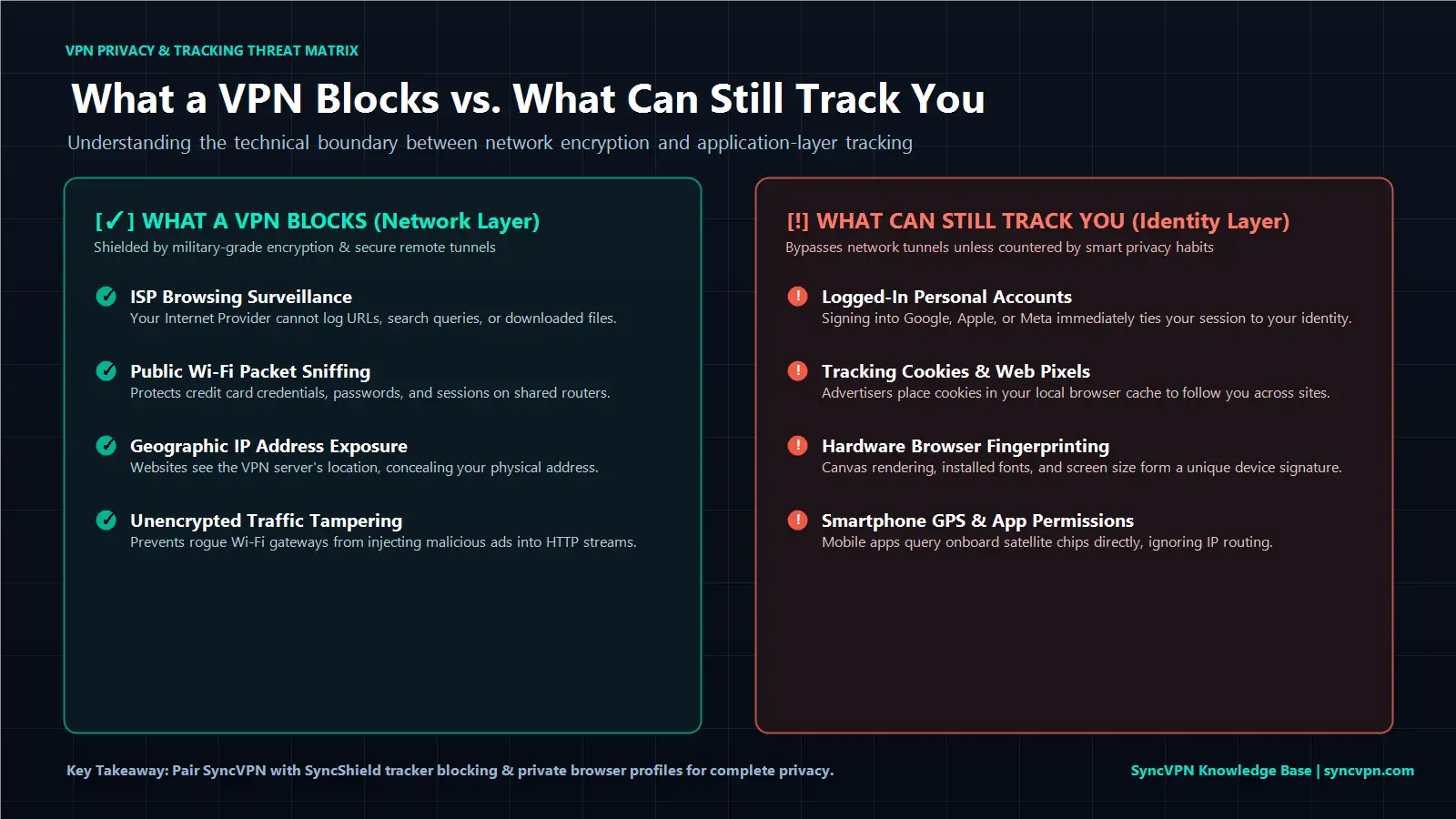
If a VPN encrypts your traffic and masks your IP address, how can online tracking still occur? Tracking shifts from the network layer up to the application and identity layer:
1. Logging Into Personal Web Accounts
If you connect to a VPN server in Switzerland and proceed to log into your Google, Facebook, Amazon, or personal email account, those companies immediately recognize you. Your session is directly associated with your verified account identity, regardless of what IP address your device displays.
2. Tracking Cookies and Persistent Local Storage
Websites deposit small data files known as cookies onto your local browser. First-party cookies remember your shopping carts and login preferences, while third-party tracking pixels follow your browsing behavior across multiple external websites. If an advertiser places a tracking cookie on your machine before you turn on your VPN, that cookie continues reporting your activities even when your IP changes.
3. Advanced Browser Fingerprinting
Modern marketing syndicates use sophisticated scripts to inspect your browser configuration. They catalogue your operating system version, browser build, installed system fonts, screen resolution, active extensions, and hardware rendering capabilities. Combined, these attributes create a unique digital "fingerprint." If your fingerprint matches past browsing profiles, trackers recognize you without needing your actual IP address.
4. Smartphone App Permissions and GPS Telemetry
A VPN routes and encrypts network packets, but it does not control device-level hardware sensors. Mobile applications on iOS and Android frequently request access to your device’s GPS antenna, Bluetooth beacons, and local Wi-Fi scan data. If you grant an app location permissions, it logs your real-world coordinates straight from the satellite chip, bypassing your VPN tunnel entirely.
5. Device Malware, Spyware, and Keyloggers
If your computer or smartphone is infected with malicious software, attackers can capture your screen, record your keystrokes, and harvest your login credentials before that information ever enters the encrypted VPN tunnel.
Tracking Threat Matrix: What a VPN Blocks vs. Leaves Exposed
To visualize where your privacy boundaries lie, review how a VPN performs against common tracking mechanisms:
Tracking Method | Can a VPN Stop It? | How Tracking Occurs | Recommended Prevention Method |
|---|---|---|---|
ISP Browsing Logs | Yes | ISP monitors plain DNS queries and destination IPs. | Keep VPN connected; use zero-log encrypted private DNS. |
Public Wi-Fi Interception | Yes | Local network actors sniff unencrypted packets. | Activate VPN encryption before joining public hotspots. |
Geographic IP Tracking | Yes | Websites record inbound visitor IP addresses. | Route traffic through a secure remote VPN server. |
Account Login Tracking | No | User manually authenticates with username/password. | Use burner accounts or browse without signing in. |
Third-Party Cookies | No | Scripts store tracking tokens in your local browser cache. | Clear cookies frequently or enable private browsing mode. |
Browser Fingerprinting | No | Scripts analyze screen size, fonts, and system specs. | Use hardened, privacy-focused browsers or anti-tracking shields. |
Hardware GPS Tracking | No | Mobile apps access device satellite positioning. | Disable app location permissions in phone system settings. |
Can Police, Governments, or Cyber Authorities Track a VPN?
A frequent concern among privacy-conscious users is whether governmental bodies or law enforcement agencies can track VPN users:
Real-Time Tunnel Cracking
Modern military-grade encryption standards, such as AES-256 and ChaCha20-Poly1305, cannot be broken through brute-force computation with present-day computing technology. Law enforcement cannot decrypt live transit data passing through a properly configured VPN tunnel.
Following the Paper Trail (The Critical Role of No-Logs)
When authorities investigate cybercrime, they subpoena the Internet Service Provider. The ISP points to the remote VPN server. At that stage, authorities must contact the VPN provider.
If a VPN provider maintains connection logs, IP timestamps, or bandwidth histories, they can be legally compelled to turn that data over. Conversely, a provider operating under a strict zero-activity-log policy has no historical records, browsing histories, or assigned IP maps to provide.
SyncVPN operates under European Union GDPR regulations from Wiesbaden, Germany, adhering to strict zero-log standards across a network of dedicated bare-metal servers. Without activity logs, your historical digital footprint does not exist.
How SyncVPN Strengthens Your Defense Against Tracking
To mitigate tracking methods that operate outside standard encryption tunnels, SyncVPN integrates comprehensive defense mechanisms across its software:
SyncShield DNS-Level Tracker Blocking: Traditional VPNs only encrypt traffic. SyncVPN features SyncShield, an advanced DNS filtering engine that blocks advertising networks, tracking pixels, and malicious telemetry domains before they load inside your browser.
Automated Kill Switch Fail-Safe: If your connection drops unexpectedly, the integrated Kill Switch immediately halts system-wide internet connectivity, preventing your real IP address from leaking to tracking scripts.
Dedicated Bare-Metal Infrastructure: SyncVPN uses dedicated physical hardware across more than 100 locations worldwide rather than rented virtual instances, preventing cross-tenant data harvesting.
Private Zero-Log Resolvers: All domain lookups are resolved internally within SyncVPN private encrypted DNS infrastructure, ensuring third-party resolvers never catalog your destination requests.
5 Practical Habits to Achieve True Online Privacy

To maximize your privacy and ensure trackers cannot bypass your VPN protection, adopt these digital hygiene practices:
Leverage DNS Filtering: Always enable SyncShield in your SyncVPN settings to suppress background advertising beacons and cross-site tracking scripts.
Browse in Private Windows: Pair your VPN connection with private browsing or incognito windows, which automatically purge cookies, session storage, and site caches whenever you close the application.
Audit Mobile App Permissions: Review your smartphone privacy settings. Revoke location, Bluetooth, and local network permissions from applications that do not strictly require them.
Separate Identity Profiles: Never browse sensitive platforms while logged into persistent commercial accounts such as Google, Apple, or social media ecosystems.
Verify Your Connection Status: Periodically visit the SyncVPN IP Verification Tool to ensure your IP address, DNS resolvers, and IPv6 traffic remain properly shielded.
Frequently Asked Questions (FAQ)
Can your internet provider tell if you are using a VPN?
Yes. Your ISP can detect that your device is communicating with an encrypted server and transmitting randomized packet streams. However, they cannot see the contents of your traffic, the websites you open, or what you download.
Does incognito mode stop tracking without a VPN?
No. Incognito mode only deletes local cookies and browsing history from your specific device once the window closes. It does not hide your IP address, protect against Wi-Fi sniffing, or conceal your traffic from your ISP.
Can someone track my location if my VPN is turned on?
If your VPN client features active leak protection and you have disabled GPS access for your web browser and applications, your physical location cannot be determined. Third parties will only detect the geographic location of the selected VPN server.
Summary and Key Takeaways
A VPN successfully blocks network-level tracking by masking your IP address, encrypting your traffic against Wi-Fi snooping, and preventing ISP monitoring.
A VPN cannot prevent tracking if you authenticate into personal accounts, accept tracking cookies, or permit device GPS access.
Achieving robust privacy requires combining a reliable VPN with active tracker blocking tools like SyncShield and responsible cookie management.
SyncVPN protects your privacy by combining dedicated server infrastructure, an integrated Kill Switch, and strict zero-log operational practices.