Imagine sitting in a coffee shop, connecting to free Wi-Fi, and checking your emails. Everything seems normal, but how do you know whether someone is monitoring the network?
Cyberattacks don't always begin with suspicious downloads or obvious warning messages. Some attackers exploit insecure networks, exposed IP addresses, or outdated software to target unsuspecting internet users.
That's why many people ask an important question: Can a VPN protect you from hackers?
The short answer is yes, but only against certain threats.
A Virtual Private Network (VPN) can improve your online security by encrypting network traffic and hiding your usual public IP address from websites. However, it cannot prevent every cyberattack, eliminate malware, or stop you from accidentally sharing sensitive information.
In this guide, we'll explain how VPN protection works, which hacking techniques it can help defend against, and what additional steps you should take to stay safer online.
How Does a VPN Protect You From Hackers?
A VPN creates an encrypted connection between your device and a remote VPN server.
When you connect to a VPN, supported internet traffic travels through this encrypted tunnel before reaching its destination.
This provides two important security benefits.
1. Encrypting Your Internet Connection
Encryption converts readable information into a protected format that unauthorized observers cannot easily interpret.
When properly configured, a VPN encrypts traffic between your device and the VPN server.
This is particularly useful when using networks you don't fully trust, including public Wi-Fi connections.
Without a VPN, a network operator may observe certain connection information and any data that applications transmit without encryption.
With a VPN, traffic inside the tunnel is protected from local network inspection.
However, HTTPS already encrypts communication with properly configured websites. A VPN adds a separate layer of network protection rather than replacing HTTPS.
2. Hiding Your Public IP Address
Your public IP address is an identifier associated with your internet connection.
Websites and online services can generally see this address when you connect directly.
A VPN routes your traffic through another server, so websites usually see the VPN server's public IP instead of your original one.
This reduces the exposure of your usual IP address.
It can also make certain IP-based targeting attempts more difficult, although it doesn't eliminate all network vulnerabilities.
What Types of Hacking Can a VPN Help Prevent?
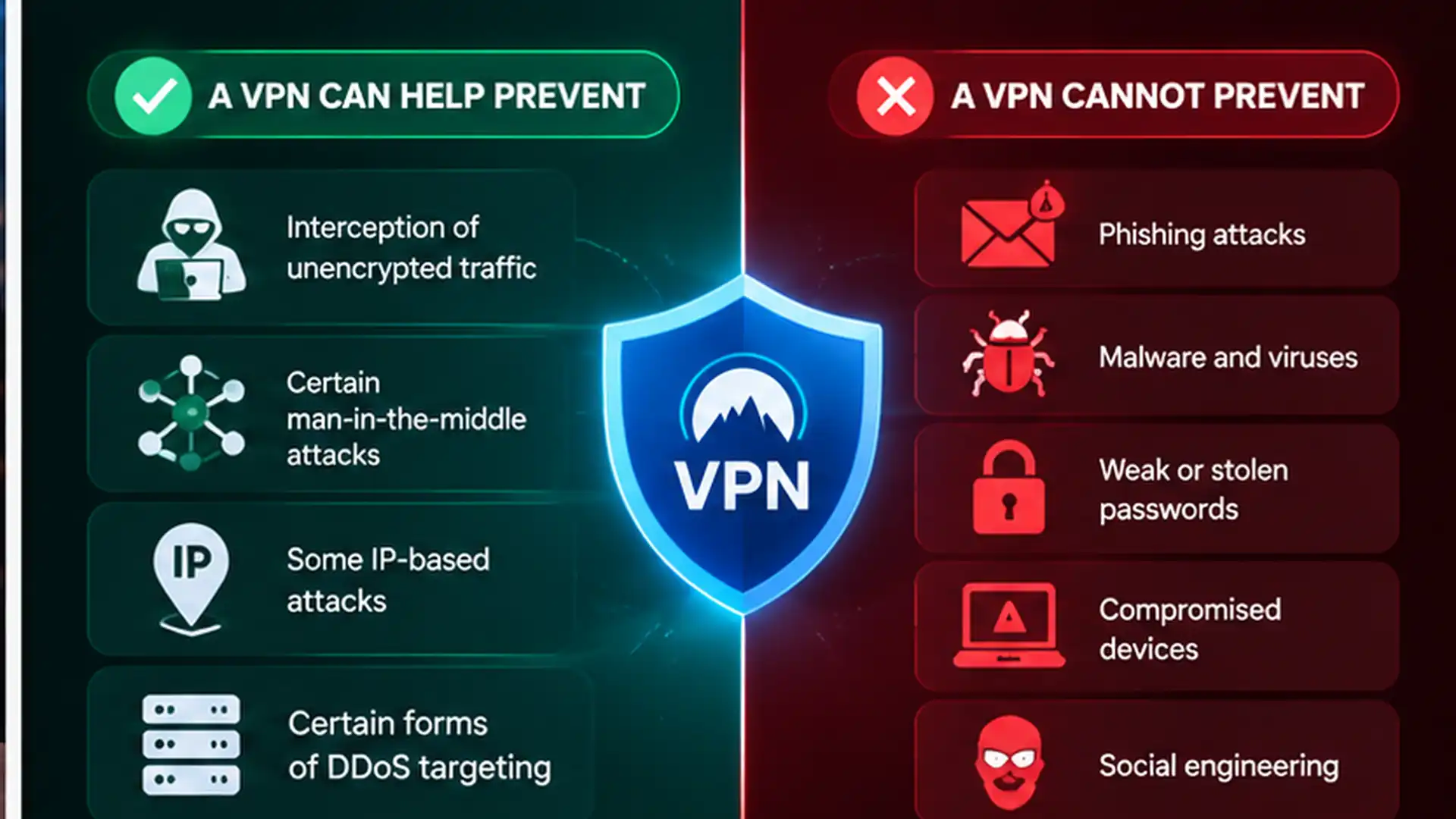
A VPN is particularly useful against threats involving network observation and certain forms of IP-based targeting.
Let's examine the main situations.
1. Interception of Unencrypted Traffic
Attackers with access to an insecure network may attempt to capture information traveling across it.
This technique is often called packet sniffing.
If an application transmits sensitive information without encryption, that information may be exposed to someone monitoring the network.
A VPN helps by encrypting supported traffic before it travels across the local network.
Someone observing that network cannot easily read information protected inside the VPN tunnel.
However, traffic already protected by HTTPS is encrypted independently of the VPN.
2. Certain Man-in-the-Middle Attacks
A man-in-the-middle (MITM) attack happens when an attacker positions themselves between two communicating parties.
The attacker may try to observe or alter information exchanged over a connection.
An encrypted VPN tunnel can help defend against attempts to inspect or manipulate traffic between your device and the VPN server.
This is especially useful on networks controlled by unfamiliar operators.
However, VPN encryption does not make every website trustworthy or prevent all forms of redirection.
Always pay attention to browser security warnings and use legitimate HTTPS websites.
3. Some IP-Based Attacks
Exposing your public IP address may allow someone to identify your internet-facing network.
Attackers sometimes use IP addresses when looking for vulnerable services or targeting networks with unwanted traffic.
A VPN masks your usual public IP from websites and services reached through its tunnel.
This can reduce opportunities for someone to target your home connection using an IP address obtained from those services.
However, VPNs do not automatically protect devices with vulnerable software, exposed local services, or other security weaknesses.
4. Certain Forms of DDoS Targeting
A Distributed Denial-of-Service (DDoS) attack attempts to overwhelm a network or service with excessive traffic.
If an attacker knows your public IP address, they may attempt to target your internet connection.
Using a VPN can hide your home IP from some services and direct certain IP-based attacks toward the VPN endpoint instead.
However, VPN servers can also experience DDoS attacks, and not every VPN provider offers specialized DDoS mitigation.
Therefore, a VPN should not be considered guaranteed protection against DDoS attacks.
What Can a VPN NOT Protect You From?
Understanding the limitations of VPN technology is just as important as understanding its benefits.
A VPN is not a complete cybersecurity solution.
1. Phishing Attacks
Phishing attacks trick users into revealing information through fraudulent emails, websites, or messages.
For example, you might receive an email pretending to be from your bank and asking you to verify your account.
If you enter your password into a fake website, a VPN cannot automatically prevent the attacker from receiving it.
Some VPN providers offer additional filtering features that may block known suspicious domains, but these protections are never comprehensive.
2. Malware and Viruses
Malware includes malicious applications designed to steal information, damage files, or compromise devices.
A VPN encrypts network traffic, but it does not automatically inspect and remove malicious software.
Downloading an infected application can still compromise your device even when your VPN is connected.
Use trusted software sources, update your operating system, and maintain appropriate security protection.
3. Weak or Stolen Passwords
A VPN does not strengthen your account passwords.
If someone obtains your login credentials through a data breach or password reuse, they may be able to access your accounts regardless of your VPN connection.
Unique passwords and multi-factor authentication remain essential.
4. Compromised Devices
If a hacker has already compromised your device, VPN encryption cannot automatically restore its security.
Malicious software operating on the device may access information before it enters the VPN tunnel.
5. Social Engineering
Social engineering involves manipulating people into revealing information or performing unsafe actions.
A VPN cannot determine whether someone contacting you is trustworthy.
Always verify unusual requests independently.
VPN vs Antivirus: What's the Difference?
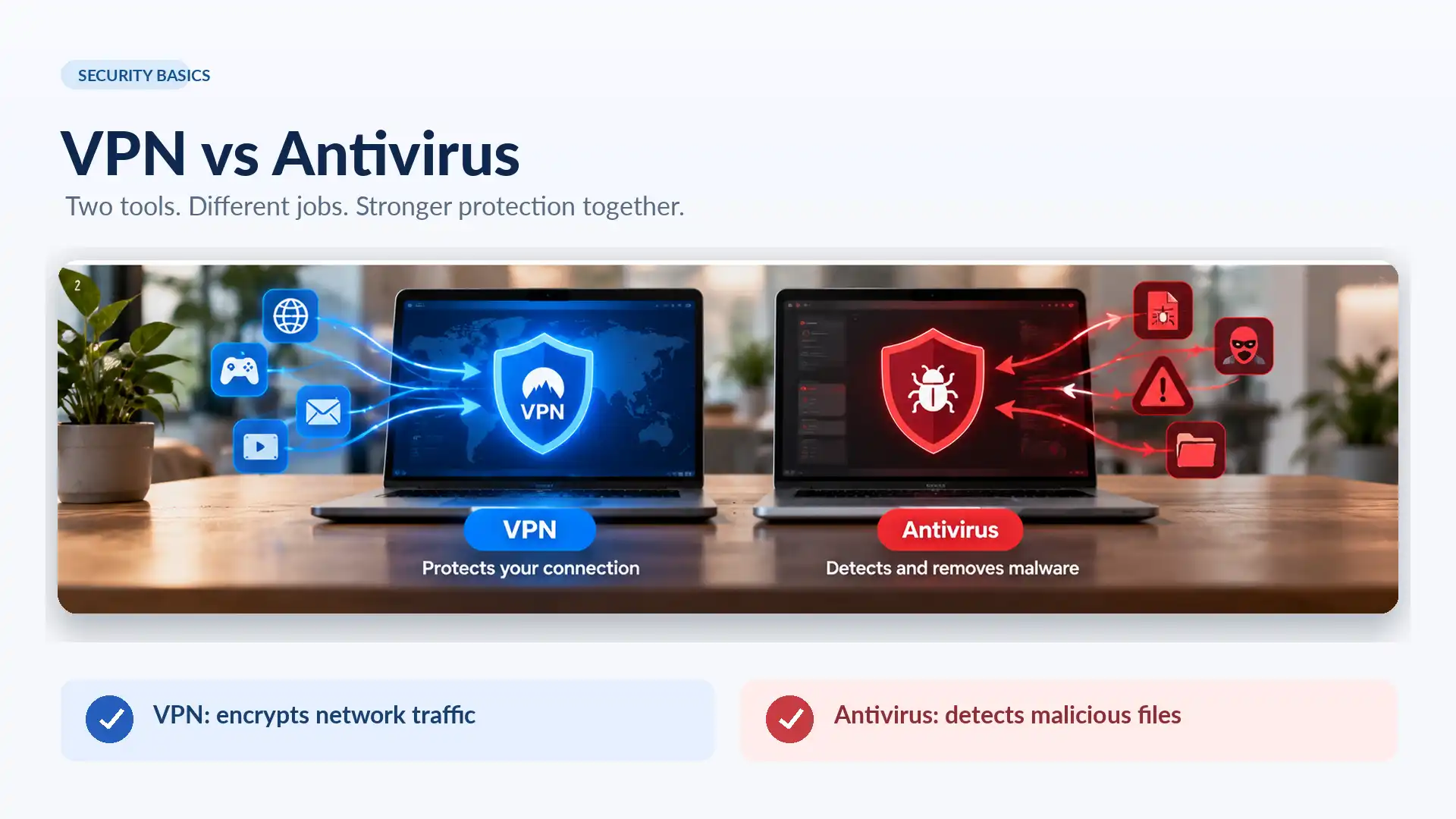
VPNs and antivirus software protect against different types of threats.
Feature | VPN | Antivirus |
|---|---|---|
Encrypts network traffic | Yes, inside the tunnel | Generally no |
Masks your public IP | Yes, for tunneled traffic | No |
Detects malicious files | Not inherently | Typically yes |
Removes malware | No | Often |
Protects against all phishing | No | No |
Improves privacy on public Wi-Fi | Yes | Limited |
Scans for suspicious software | Not inherently | Usually |
A VPN protects the connection, while antivirus software focuses on detecting and responding to malicious software.
For better protection, these technologies can complement each other.
Can Hackers Track You If You Use a VPN?
A VPN makes certain tracking techniques more difficult, but it doesn't make you invisible.
Websites generally see the IP address of the VPN server instead of your normal public IP.
However, they may still recognize you through:
Account logins
Browser cookies
Device identifiers
Browser fingerprinting
Information you voluntarily provide
For example, if you sign into your social media account while using a VPN, the platform can still identify your account.
Similarly, a malicious website may attempt to collect personal information through deceptive forms.
A VPN reduces particular forms of exposure but does not guarantee anonymity.
Is a VPN Necessary on Public Wi-Fi?
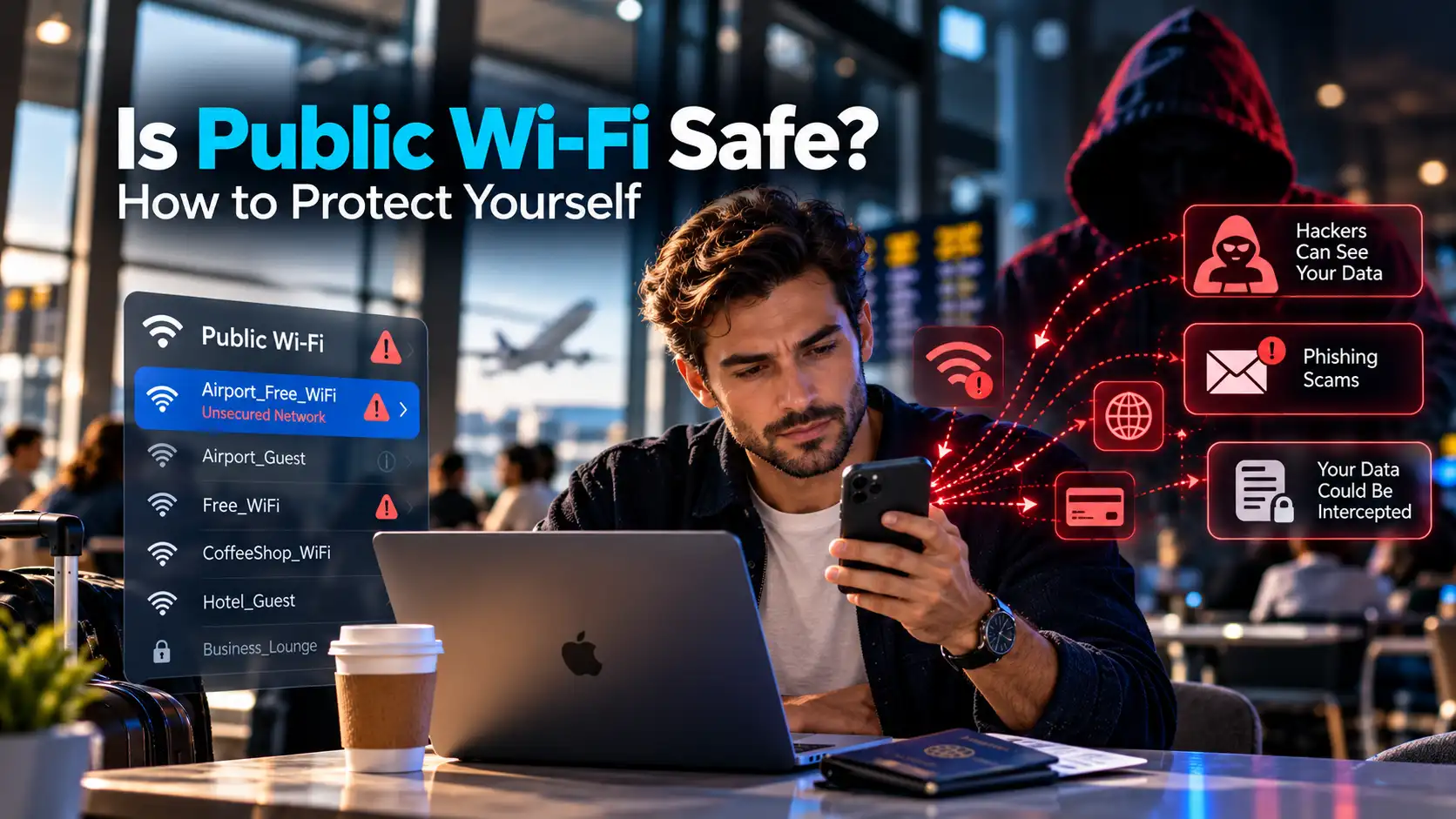
Public Wi-Fi networks are convenient, but their security varies.
Airports, hotels, restaurants, and shopping centers often provide networks that many unfamiliar people can access.
Some networks use modern security protections, while others may be poorly configured.
Attackers can also create fake hotspots that imitate legitimate networks.
A trustworthy VPN provides additional privacy by encrypting traffic between your device and its VPN server.
The U.S. National Security Agency recommends using a VPN or other appropriate precautions when connecting through public wireless networks.
However, a VPN cannot determine whether you've joined a fake hotspot or prevent you from entering credentials into a phishing page.
Always verify network names and avoid suspicious login portals.
8 Ways to Protect Yourself From Hackers
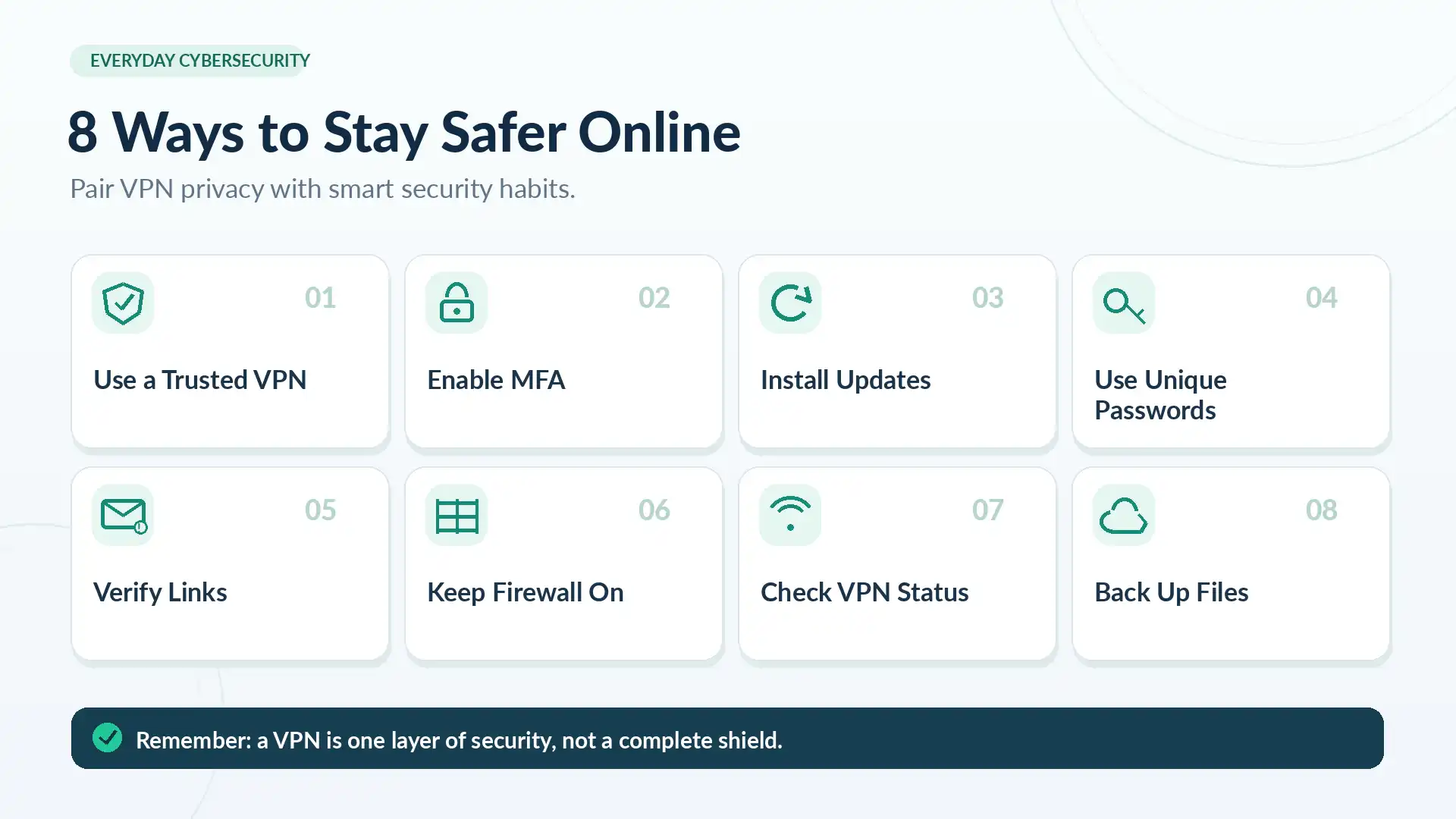
A VPN works best when combined with other security practices.
1. Use a Trustworthy VPN
Choose a VPN provider that uses established encryption protocols and clearly explains its privacy practices.
Avoid unfamiliar VPN applications that request unnecessary permissions.
2. Enable Multi-Factor Authentication
Multi-factor authentication adds another verification step when accessing your accounts.
This can reduce the risk of unauthorized access even when a password has been compromised.
3. Keep Your Software Updated
Security updates fix vulnerabilities that attackers may exploit.
Enable automatic updates for your operating system, browser, and important applications whenever practical.
4. Use Strong, Unique Passwords
Avoid reusing passwords across different websites.
A reputable password manager can help create and store unique credentials.
5. Be Careful With Emails and Links
Check unexpected messages before clicking links or downloading attachments.
Never enter sensitive information into a website solely because a message tells you to do so.
6. Enable Device Security Features
Keep your firewall enabled and use appropriate malware protection.
Turn off unnecessary file sharing and remote access services, especially on unfamiliar networks.
7. Check Your VPN Connection
Make sure your VPN is actually connected before relying on it for network privacy.
Where applicable, check whether the expected public IP address is displayed and review any relevant connection protection settings.
8. Back Up Important Files
Regular backups help you recover from ransomware, hardware failures, and accidental data loss.
Use secure backup destinations and test that your important files can be restored.
Frequently Asked Questions
Does a VPN Stop Hackers Completely?
No. A VPN can reduce risks associated with network interception and IP exposure, but it cannot prevent phishing, malware infections, or every other cyberattack.
Can Hackers Steal Passwords Through a VPN?
Proper VPN encryption makes intercepted tunnel traffic difficult to read. However, passwords can still be stolen through phishing, malware, compromised websites, or account breaches.
Can a VPN Protect Your Phone From Hackers?
A VPN can help protect network traffic on Android and iPhone devices, particularly when using unfamiliar Wi-Fi networks.
It does not replace mobile security updates or protection against malicious applications.
Can a VPN Prevent Someone From Hacking My Wi-Fi?
No. A VPN does not secure your router or prevent unauthorized devices from joining your Wi-Fi network.
Use a strong Wi-Fi password, modern wireless encryption, and updated router firmware.
Can Hackers See Your Real IP Address With a VPN?
Websites generally see the VPN server's public IP address for correctly tunneled traffic.
However, routing exceptions, connection leaks, or other sources of information may expose your original IP.
Is a Free VPN Safe Against Hackers?
Some reputable free VPN services provide legitimate encryption, but not every free VPN is trustworthy.
Evaluate the provider's security, privacy policy, reputation, and application permissions before using it.
Why SyncVPN Is a Smart Choice for Everyday Online Security
Online security shouldn't require complicated settings or advanced technical knowledge.
Whether you're browsing at home, connecting to airport Wi-Fi, working remotely, or using your smartphone throughout the day, having an additional layer of network privacy can make a meaningful difference.
That's where SyncVPN comes in.
SyncVPN combines modern VPN technology with a straightforward experience designed to make private browsing more accessible.
Strong Encryption for Your Internet Connection
SyncVPN uses encrypted VPN connections to help protect supported traffic between your device and its VPN servers.
This provides an additional privacy layer against local network monitoring, particularly on unfamiliar networks.
Modern VPN Protocols
SyncVPN supports established protocols including WireGuard and OpenVPN, giving users access to modern VPN connection technology.
These protocols offer different performance and compatibility characteristics, allowing users to select supported options that suit their devices and networks.
A Global Server Network
With servers available across multiple countries, SyncVPN allows users to choose different VPN exit locations.
This helps mask their usual public IP address and gives them more flexibility over how supported internet traffic is routed.
Ad and Tracker Blocking
SyncVPN includes an ad and tracker blocking feature in its subscription offerings.
This can reduce certain unwanted advertising and tracking connections, although it should not be treated as complete protection against malware or phishing.
Protection Across Multiple Devices
SyncVPN provides applications for iPhone, Android, and Windows.
Selected subscription plans support multiple simultaneous devices, making it convenient to protect compatible personal devices through one service.
Flexible Plans and Customer Support
SyncVPN offers different subscription durations, customer support, and a 15-day money-back guarantee subject to the applicable purchase terms.
This combination of privacy-focused features and convenient setup makes SyncVPN an appealing option for users who want more control over their everyday internet connections.
Your online privacy deserves more than guesswork.
With SyncVPN, you can add encryption to your internet connection, reduce exposure of your usual public IP address, and browse with greater confidence.
Take the next step toward a more private internet experience.