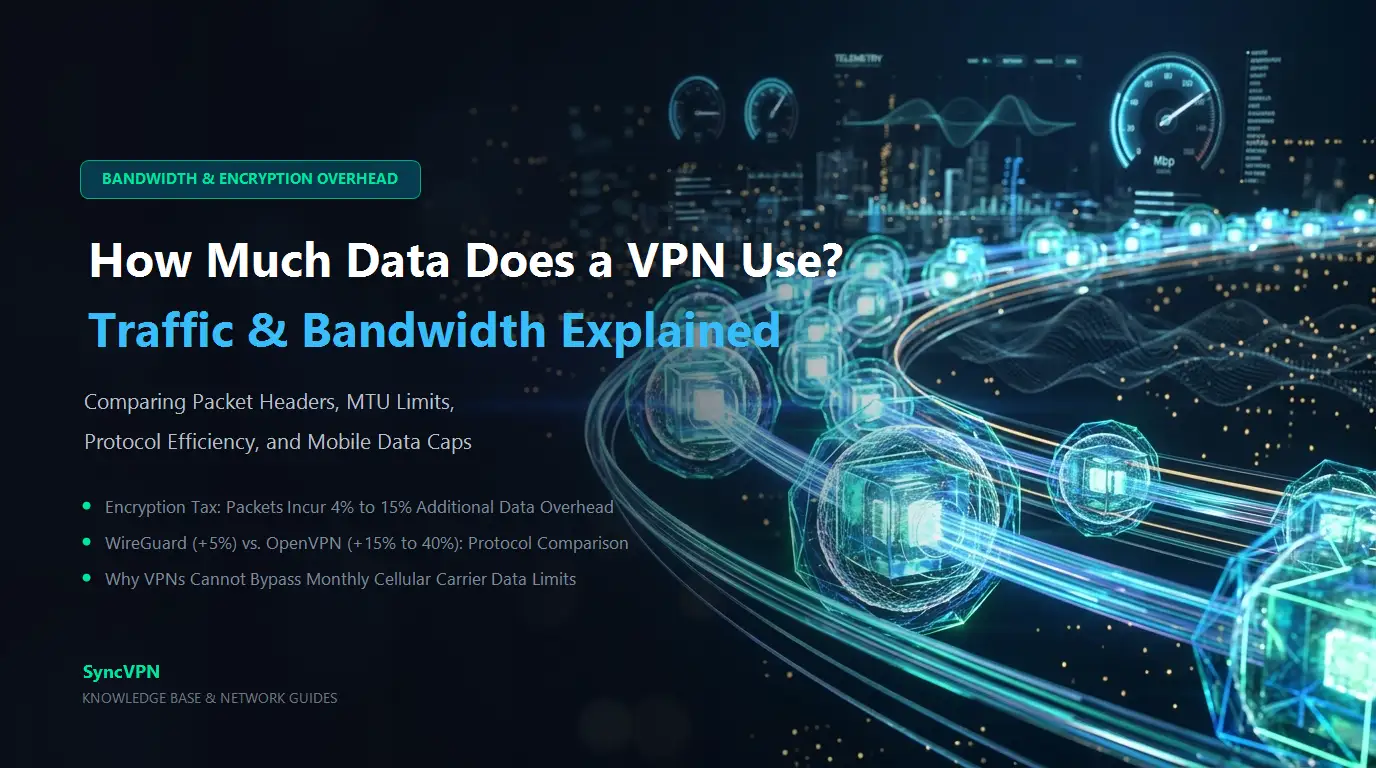
A VPN increases your total internet data usage by approximately 4% to 15% due to encryption overhead, adding cryptographic headers and routing metadata to every data packet you transmit. While a VPN does not increase the size of the underlying files you download or videos you stream, this structural packaging requires extra bandwidth to shuttle your traffic securely through the encrypted tunnel.
If you operate on an unmetered home broadband connection, this microscopic data increase remains completely imperceptible. However, if you rely on a capped mobile data plan, travel with an international eSIM, or connect via metered satellite internet, understanding how VPN data consumption works is vital. In this guide, we break down the physics of encryption overhead, compare data consumption across modern protocols, examine the impact of MTU fragmentation, and provide actionable methods to minimize bandwidth usage.
The Encryption Tax: Why VPNs Consume Extra Bandwidth
To understand why a VPN uses extra data, you must understand how data travels across the internet. Whether you load a webpage, stream a track on Spotify, or download a firmware patch, your device does not transmit information in one massive block. Instead, transmission protocols slice your data into small, manageable units called packets.
On standard Ethernet and Wi-Fi networks, the Maximum Transmission Unit (MTU) typically limits a single packet to 1,500 bytes. Inside an unencrypted packet, approximately 1,460 bytes are dedicated to your actual payload (the webpage or video data), while 40 bytes serve as standard TCP/IP routing headers.
When you connect to a Virtual Private Network, every outgoing packet is encapsulated within an encrypted envelope before leaving your network interface. This encapsulation introduces three structural layers of overhead:
Cryptographic Headers: Security parameters specifying the cipher algorithm, initialization vector (IV), and packet sequence numbers.
Authentication Tags: Cryptographic hashes (such as HMAC or Galois authentication tags) that verify the packet has not been altered or tampered with in transit.
Encapsulation Headers: An additional external IP header that instructs intermediate internet routers to send the packet to the VPN server rather than the final destination website.
Because these security layers are affixed to every single packet, encrypting a 1 GB file requires transferring approximately 1.05 GB to 1.15 GB of total network data. The underlying file remains 1 GB, but your connection must transmit the additional cryptographic wrapping required to maintain complete privacy.
Protocol Breakdown: How WireGuard, OpenVPN, and IKEv2 Compare
The single most influential factor governing VPN data consumption is protocol selection. Different cryptographic tunneling protocols utilize distinct header architectures, significantly shifting your bandwidth efficiency.
VPN Protocol | Average Data Overhead | Header Size per Packet | Efficiency Rating | Ideal Use Case |
|---|---|---|---|---|
WireGuard | 4% – 6% | ~32 bytes | Ultra-High | Mobile devices, gaming, and metered data plans |
IKEv2 / IPsec | 8% – 12% | ~56 bytes | High | Seamless roaming between Wi-Fi and mobile cell towers |
OpenVPN UDP | 10% – 15% | ~68 bytes | Moderate | General desktop browsing and high-security tunneling |
OpenVPN TCP | 20% – 40% | ~88+ bytes | Low | Bypassing restrictive institutional firewalls |
Why WireGuard Dominates Bandwidth Efficiency
Modern protocols like WireGuard achieve exceptional data efficiency by running on an ultra-compact codebase of approximately 4,000 lines. WireGuard strips away legacy handshake bloat, deploying fixed-length cryptographic headers that add only around 32 bytes to each packet. This lean architecture yields a negligible 4% to 6% data overhead, making it the premier choice for conserving mobile data.
The Heavy Toll of OpenVPN TCP
Conversely, OpenVPN running in TCP mode introduces substantial overhead, frequently exceeding 25% to 40% extra data consumption. Because TCP enforces strict packet acknowledgment and retransmission, running TCP-based internet traffic inside a TCP-based VPN tunnel triggers a phenomenon known as "TCP meltdown." When slight network congestion occurs, both the inner and outer protocols attempt retransmissions simultaneously, dramatically compounding packet duplication and burning through data allocations.
Real-World VPN Data Consumption Across Daily Activities
To visualize how encryption overhead affects your daily internet usage, examine this benchmark comparison measuring data consumption across common online tasks:
Online Activity | Standard Data Consumption (No VPN) | Data Usage With WireGuard (+5%) | Data Usage With OpenVPN (+15%) | Estimated Monthly Impact (2 hrs/day) |
|---|---|---|---|---|
Web Browsing & Email | ~100 MB / hour | ~105 MB / hour | ~115 MB / hour | +300 MB to +900 MB |
Spotify Music Streaming | ~120 MB / hour | ~126 MB / hour | ~138 MB / hour | +360 MB to +1.08 GB |
Zoom / Video Calls (HD) | ~1.2 GB / hour | ~1.26 GB / hour | ~1.38 GB / hour | +3.6 GB to +10.8 GB |
1080p Video Streaming | ~2.5 GB / hour | ~2.62 GB / hour | ~2.87 GB / hour | +7.2 GB to +22.2 GB |
4K Ultra HD Streaming | ~7.0 GB / hour | ~7.35 GB / hour | ~8.05 GB / hour | +21.0 GB to +63.0 GB |
Online Multiplayer Gaming | ~80 MB / hour | ~84 MB / hour | ~92 MB / hour | +240 MB to +720 MB |
As demonstrated by the benchmarks, casual browsing, audio streaming, and gaming incur negligible data increases. The primary drivers of heavy data consumption remain video streaming and high-resolution teleconferencing, where high baseline throughput naturally magnifies overhead percentages.

One of the most overlooked technical factors in VPN data consumption is Maximum Transmission Unit (MTU) packet fragmentation.
Standard internet connections use an MTU of 1,500 bytes. When you activate a VPN, the additional 32 to 88 bytes of cryptographic headers are appended to your packets. If your operating system continues sending 1,500-byte packets, the total packet size swells to 1,560 bytes, exceeding the router's physical MTU threshold.
When a packet exceeds the MTU limit, intermediate routers are forced to fragment it into two separate packets. This fragmentation instantly doubles the standard IP routing headers, introducing severe performance degradation and escalating data consumption.
Sophisticated applications like SyncVPN automatically optimize virtual MTU thresholds (typically adjusting WireGuard interfaces to 1,420 bytes). This calculated reduction ensures that even with outer encapsulation headers attached, the completed packet never exceeds 1,500 bytes, completely preventing packet fragmentation.
Background Data Drain: What Happens When Your Phone Sleeps?
Many smartphone users leave their VPN connected around the clock, only to discover that their device consumed 50 MB to 100 MB of cellular data overnight while sitting idle. This phantom drain is caused by two background mechanisms:
Keep-Alive Packets: Mobile networks deploy Network Address Translation (NAT) firewalls that automatically close inactive network ports after a few seconds of silence. To maintain an open tunnel, your VPN app sends miniature cryptographic "keep-alive" ping packets every 20 to 25 seconds. While each ping is only a few dozen bytes, continuous transmission over 24 hours consumes 5 MB to 15 MB of baseline data.
Unrestricted Background App Syncing: Because an active VPN tunnel maintains an always-on network route, background smartphone processes (social media syncs, email polling, system telemetry) execute uninterruptedly. Restricting background data permissions on iOS and Android prevents dormant applications from transmitting unmonitored updates through your tunnel.
Does a VPN Bypass ISP Data Caps? Debunking the Myth
A persistent online myth claims that using a VPN allows users to bypass mobile data caps or receive "free unlimited internet." The theory assumes that because a VPN hides your browsing destination, the Internet Service Provider cannot calculate how much data you consume.
This assumption is entirely false. An ISP functions at the physical and transport network layers:
What the ISP Cannot See: The ISP cannot read the contents of your packets, the specific websites you visit, or the files you download.
What the ISP Always Sees: The ISP accurately measures the total volume of raw bytes traveling across your physical connection line or cellular tower.
Bytes are bytes. Whether those bytes contain unencrypted plaintext or military-grade AES-256 ciphertext, every single packet registers on your ISP's billing gateway. In reality, because of the 5% to 15% encryption overhead, using a VPN will cause you to reach a strict monthly data cap slightly faster than browsing unencrypted.
However, a VPN can bypass activity-based bandwidth throttling. If your ISP deliberately throttles speeds when it detects Netflix or YouTube streams, routing that traffic through an encrypted VPN tunnel prevents the provider from recognizing the service, preserving maximum connection speeds.
How to Track and Minimize VPN Data Usage
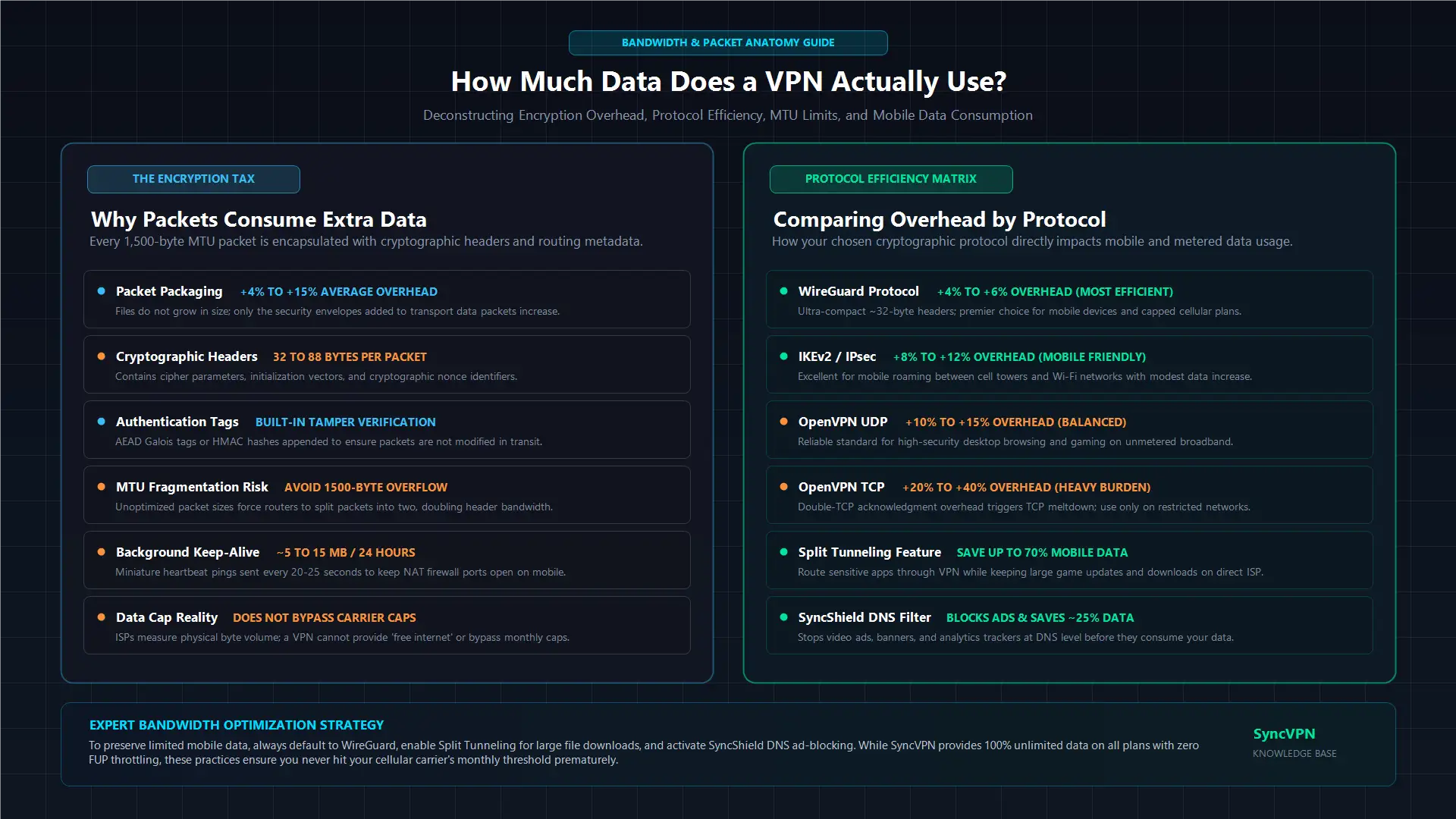
If you need to preserve data on a restrictive mobile plan, implementing these five technical strategies will keep bandwidth consumption at absolute minimums:
1. Lock Your Protocol to WireGuard
Avoid legacy protocols like OpenVPN TCP on mobile devices. Switching your application settings to WireGuard reduces cryptographic overhead to an industry-low 4% to 6%, while providing faster connection speeds and preserving battery life.
2. Leverage Split Tunneling for Heavy Downloads
SyncVPN provides Split Tunneling on Windows and Android, enabling you to route confidential traffic (such as web browsing, email, and banking) through the encrypted tunnel while allowing bandwidth-intensive downloads (like large game updates or system backups) to bypass the VPN via your local connection.
3. Monitor Real-Time Telemetry
The SyncVPN Windows client features built-in telemetry metrics, displaying your active protocol, server load percentage, real-time upload and download speeds, and Total Traffic Consumed directly on the dashboard. Monitoring these figures allows you to assess your bandwidth consumption accurately.
4. Enable Built-In Ad and Tracker Blocking
Every advertising script, tracking beacon, and autoplay video banner embedded in modern websites consumes cellular data. Utilizing SyncShield (SyncVPN's DNS-filtering security shield) intercepts ad domains at the DNS level before they load, saving up to 20% to 30% of web browsing data.
5. Disconnect on Trusted, Metered Networks
If your cellular data plan is nearly depleted and you are on a password-protected, trusted home Wi-Fi network, pausing your VPN connection eliminates the encryption tax until you transition back to public networks.
Summary and Key Takeaways
A VPN increases internet data consumption by 4% to 15% due to encryption headers and routing metadata.
WireGuard is the most bandwidth-efficient protocol, adding only 4% to 6% overhead compared to 20%+ on OpenVPN TCP.
A VPN does not bypass monthly ISP or mobile carrier data limits; your service provider monitors the total volume of bytes regardless of encryption.
Packet fragmentation from misconfigured MTU limits can double header overhead; premium clients automatically optimize MTU sizes.
Bandwidth can be conserved by deploying WireGuard, utilizing Split Tunneling for high-volume downloads, and enabling DNS ad-blocking like SyncShield.